
The direct answer
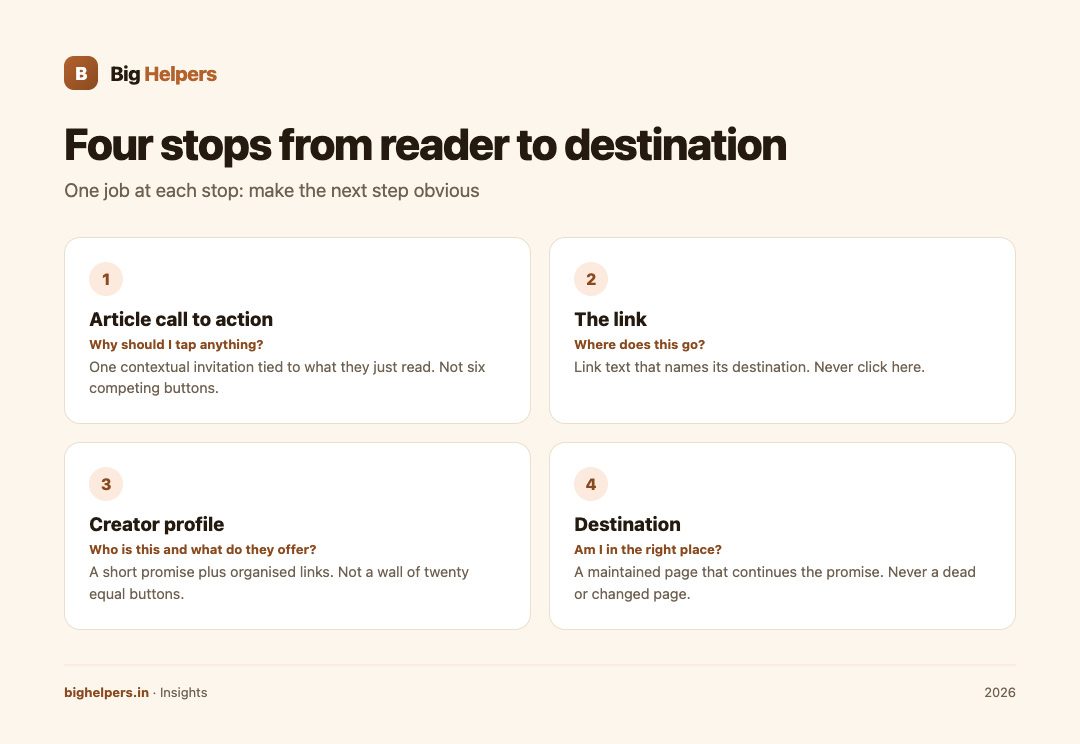
Map the journey as four stops: the article's call to action, the link itself, your creator profile page, and the final destination that receives the reader. At each stop do one job: make the next step obvious. Write link text that states its purpose, tag links with campaign parameters so you can see what worked, ask analytics consent where your tools require it, and keep every destination maintained. A reader should never wonder where they are or what will happen when they tap.

The four stops
| Stop | Reader's silent question | Your job | Common failure |
|---|---|---|---|
| 1. Article call to action | "Why should I tap anything?" | One contextual invitation tied to what they just read | Six generic CTAs competing for attention |
| 2. The link | "Where does this go?" | A link whose text names its destination | "Click here" |
| 3. Creator profile | "Who is this and what do they offer?" | A short promise plus organised links | A wall of twenty equal buttons |
| 4. Destination | "Am I in the right place?" | A maintained page that continues the promise | A dead or changed page |
Stop one: contextual calls to action
A call to action earns its tap by continuing the reader's thought, not interrupting it. If the article explained how to review website costs, the natural next step is your costing template or your services page, not your newsletter. One invitation, placed where the thought completes, outperforms a scatter of buttons.
Three rules keep CTAs honest:
- The CTA must describe what actually happens: "See our guide to UPI payments" should lead to that guide.
- One primary invitation per article; everything else is secondary.
- Never encourage clicks on advertising as a "support the site" action. Google's program policies prohibit publishers from encouraging clicks or views on non-rewarded inventory, so this shortcut is both misleading to readers and a policy risk.
Stop two: links that say where they go
Link text is an accessibility feature before it is a style preference. The W3C's Web Content Accessibility Guidelines, success criterion 2.4.4, requires that the purpose of each link can be determined from the link text alone or from its context. In practice that means "Read our payment gateway comparison" rather than "click here", and it helps everyone: screen reader users navigating by links, people skimming on a phone, and search engines trying to understand your page.
A quick label audit:
| Weak label | Better label |
|---|---|
| Click here | Read the WhatsApp cost calculator guide |
| Learn more | See our work for creators |
| This | Download the launch checklist |
| Link in bio | our full guide on bighelpers.in/insights |
Stop three: the creator profile page
Where a platform limits where links can appear, many creators route readers through one profile page. That page works when it behaves like a small homepage rather than a phonebook: your name, one line on what you do, a handful of links ordered by what you most want people to do, and grouping so related links sit together.
Big Helpers builds YourLinks for this layer. Its App Store listing describes a creator workspace where you sign in with email and password, create a page, choose a handle, review page identity details, and open a native preview of the public profile showing featured links, social destinations, collections and content blocks in an accessible mobile layout. It includes account and session controls, and saved preview data stays readable when you are offline. The listing also states the developer does not collect data from the app. It is free, available on iOS, with Android in controlled testing; current status is always on the Big Helpers apps page.
If you build your profile before your strategy, you get a pretty page with no promise. Write the one-line promise first.
Stop four: campaign parameters, so the journey is measurable
Once the links exist, make them tell you which journeys happen. Campaign parameters, the utm_source, utm_medium and utm_campaign tags appended to a URL, are a long-standing analytics convention. Google's Analytics help documentation defines the underlying dimensions: source is the origin of a referral, medium is the type of traffic such as email or social, and campaign names the campaign the link belongs to.
A simple scheme, kept stable, is enough:
| Parameter | Purpose | Example value |
|---|---|---|
| utm_source | Where the reader came from | newsletter |
| utm_medium | What kind of link | |
| utm_campaign | Which effort | august-guides |
Two habits matter more than cleverness: use the same values every time, and never invent a new spelling mid-campaign. Untagged links simply appear as direct or referral traffic, and you learn nothing.
Consent and restraint
Measuring a journey should not cost a reader their privacy. Three practices keep this clean:
- Collect only what you will read. If nobody opens the geography report, do not enable its tracking.
- Disclose analytics plainly and offer a genuine choice where your analytics tool or your audience's region requires consent. Requirements differ by tool and territory, so check your tool's own documentation rather than copying another site's banner.
- Keep personal data out of notes. Campaign performance is aggregate information; individual readers are not part of your calendar.
For Indian publishers thinking about obligations rather than just manners, our DPDP Act compliance guide for websites covers the legal side.
Maintaining the destination
A link journey decays silently. After every platform change, redesign or product rename, walk the four stops yourself:
- Does every article CTA still point somewhere that exists?
- Does the profile page still list your current priorities?
- Do campaign tags still follow your scheme?
- Does the destination page continue the promise the CTA made?
Monthly, tap every link in your profile on a real phone. Two minutes of tapping prevents the most common creator failure: promoting a page that no longer opens. More on building the discovery side is in content marketing for Indian SMEs and our SEO and LLM optimisation service.
FAQs
Do I need a link-in-bio page if I have a website?
A website can host the same journey on its own page. A dedicated profile tool earns its place when you want a fast, mobile-first page you manage separately from your main site.
What makes link text accessible?
Text that states its purpose on its own, per WCAG 2.4.4. If a link makes sense when read aloud in a list of links, it passes.
What are utm parameters, in one line?
Tags added to a URL that tell your analytics tool the source, medium and campaign a visit came from.
Is asking readers to click ads a good way to support the site?
No. It violates Google's program policies for publishers and teaches readers to distrust your other links.
How often should I audit the journey?
Walk the four stops after every change you ship, and walk all links monthly. Frequency matters less than consistency.
Your next step
Sketch your four stops on paper today, then build the middle layer. Try YourLinks on the App Store: create a page, choose a handle, and preview exactly how readers will see your profile before you share the link anywhere. It is free on iOS, with Android in controlled testing, and you can see more of our work for creators on the Big Helpers for creators page.
Sources & references
- W3C, WCAG 2.2 Understanding SC 2.4.4 Link Purpose (In Context): w3.org/WAI/WCAG22/Understanding/link-purpose-in-context.html (fetched 29 August 2026)
- Google Analytics Help, source, medium and campaign dimensions: support.google.com/analytics/answer/1033173
- Google AdSense program policy on encouraging clicks: support.google.com/adsense/answer/48182
- YourLinks App Store listing: apps.apple.com/in/app/yourlinks/id6797184337, and Big Helpers apps page: bighelpers.in/apps/
Pricing in this guide is verified as of the article date. Verify with vendors before committing budget — rates change quarterly.