
The short answer
To check a digitally signed PDF, work through six things in order: confirm a signature exists, confirm the file has not changed since signing, confirm the certificate chains to a root you trust, confirm who the certificate says the signer is, check the timestamp, and check revocation information. Then apply the boundary: these checks verify the cryptography and the certificate, not the honesty of the document or the signer's authority to make its statements.

What a digital signature actually is
A digital signature is not a picture of a handwritten signature. It is mathematics. The signing software computes a fingerprint of the document, encrypts it with the signer's private key, and embeds the result in the PDF together with the signer's certificate. Verification recomputes the fingerprint and uses the certificate's public key to test the embedded one. If any byte of the signed content changed, the fingerprints disagree.
PDF signatures follow the PDF specification, ISO 32000, and the European PAdES profiles in ETSI EN 319 142-1, which builds on ISO 32000-1. PAdES baseline profiles add protections in levels: a trusted timestamp that records when signing happened, and embedded validation data such as certificate and revocation information so the signature can be checked years later.
In India, digital signature certificates used for signing are issued by Certifying Authorities licensed by the Controller of Certifying Authorities under the Information Technology Act 2000. The CCA publishes the list of licensed CAs, and a chain that ends at a trusted root is what links a signature on your screen to that framework.
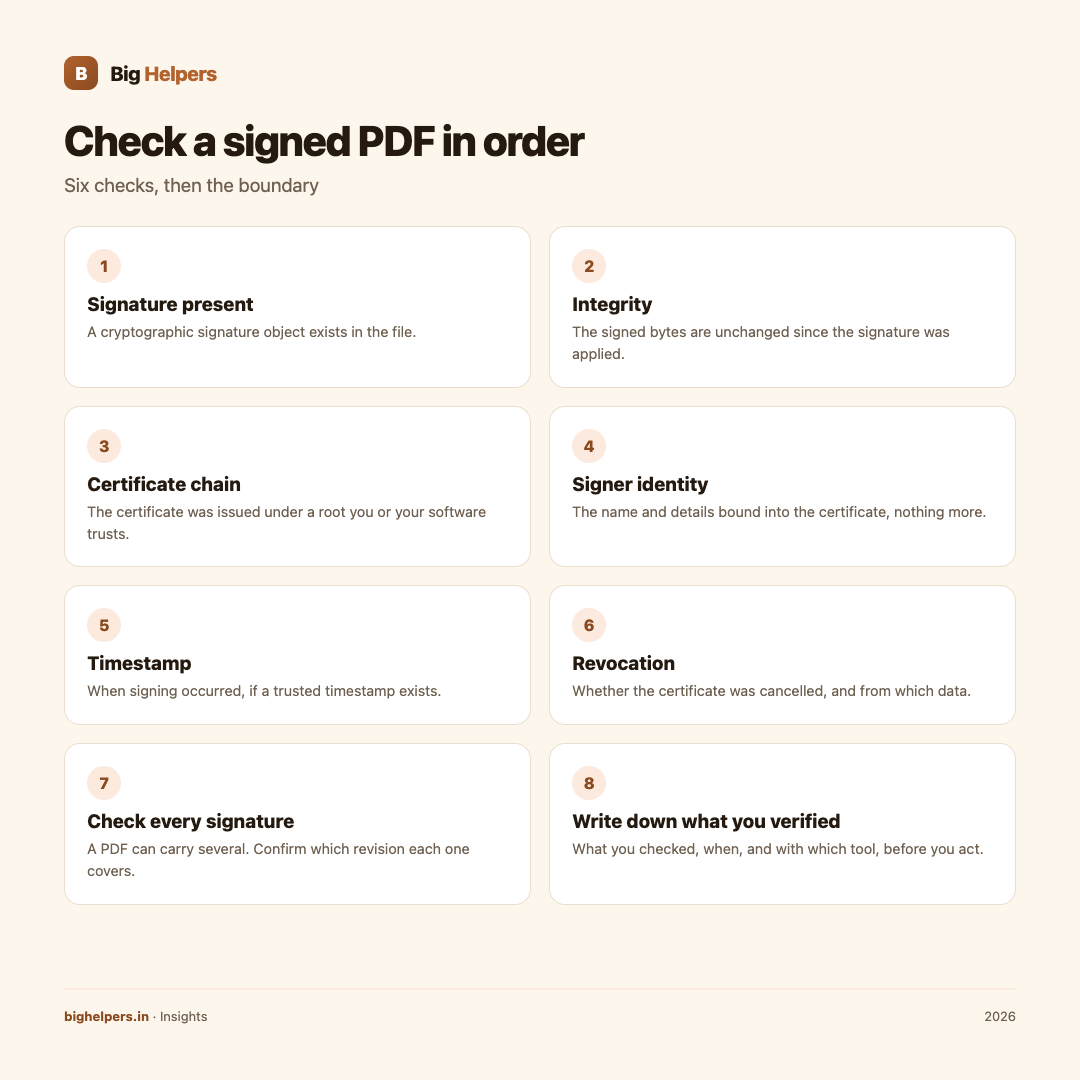
The six checks, in order
| Check | What it tells you | What it does not tell you |
|---|---|---|
| Signature present | A cryptographic signature object exists | That anyone valid made it |
| Integrity | The signed bytes are unchanged since signing | That the unsigned parts were never touched |
| Certificate chain | The certificate was issued under a root you or your software trusts | That the root owner vetted the document |
| Signer identity | The name and details bound into the certificate | That the named person wrote the document |
| Timestamp | When signing occurred, if a trusted timestamp exists | That the document's dates are honest |
| Revocation | Whether the certificate was revoked, at check time or as recorded | Why it was revoked, or everything since |
Step by step
- Open the signature panel. In Adobe Acrobat, Adobe's help describes opening the PDF, selecting Signatures from the right panel, then Options and Validate. Other PDF readers expose the same information in different places.
- Read the summary state. Look for whether the signature and the document are intact, and whether any part changed after signing.
- Open the certificate details. Read the signer name, the issuing authority and the validity period.
- Examine the chain. Follow issuer to issuer up to the root. Note where the chain stops if your software cannot build it to a trusted root.
- Check the time elements. Signing time inside the signature is the signer's claim; a trusted timestamp is independent evidence. Note which one you have.
- Check revocation information. See whether the checker used online revocation status, embedded data from the file, or nothing at all.
- Check every signature. A PDF can carry several signatures added one after another. Check each and confirm which revision each one covers.
- Write down what you verified. For anything important, record what you checked, when, and with which tool, before you act on the document.
A worked example
A vendor sends you a signed contract PDF. Your check shows the signature is intact and chains to a trusted root through a licensed CA, the certificate carries the company's name, and a trusted timestamp exists. But the certificate expired last month, and your reader shows revocation status only as of today. So you know the document was signed before expiry and has not changed since; you do not yet know whether the certificate was revoked before signing. That gap is a real finding, and it belongs in your notes, not under the rug.
The boundary you must keep
Signature checking is a technical result about bytes and certificates. It is not a legal opinion and not a guarantee of authenticity. A perfectly valid signature can sit on a false statement, and a completely genuine document can carry a signature your software cannot verify, for example because the root is missing from your device. Where a document's legal effect matters, the verification record supports your decision; it does not replace advice.
A checker that explains itself
SureSign is our free app built for exactly this boundary. Its App Store listing describes it as helping "you understand what was actually checked in a digitally signed PDF, in plain language, before you rely on it". The listing states it can check signature integrity, signer and certificate facts, give a trust summary, batch-check multiple files and export CSV, save reports, and show what changed between revisions. The listing also states core features require no account, there are no ads, analytics, advertising identifiers or tracking SDKs, reports stay on device, and verification uploads are discarded unless you save them to Vault. SureSign is available on iOS. Android is in controlled testing.
Frequently asked questions
Does "signature valid" mean the document is genuine?
No. It means the cryptographic checks passed: the signed content is unchanged and the certificate chains to a trusted root. The truth of the document's contents is a separate question.
Why does the same PDF show different results on two devices?
Each reader uses its own list of trusted roots and its own rules for revocation and timestamps. A missing root or no network access can downgrade the result without the document being wrong.
What does a timestamp add?
A trusted timestamp gives independent evidence of when signing happened, which lets a checker evaluate the certificate against its validity period at signing time, not only today.
What is revocation information?
Data about whether the issuing authority cancelled the certificate, checked online or embedded in the file. Its absence means you simply do not know that status.
Can a signed PDF be edited afterwards?
PDF signing usually allows later additions as separate revisions. Checking tells you which parts each signature covers. Content covered by an earlier signature changing would break that signature.
Where do Indian digital signature certificates come from?
From Certifying Authorities licensed by the CCA under the IT Act 2000. The CCA publishes the licensed list on its site.
Last reviewed: 29 August 2026.
What to do next
Next time a signed PDF lands in your inbox, run the six checks before you act on it. SureSign walks through them in plain language, reports what was actually checked, and keeps reports on your device. SureSign is available on iOS. Android is in controlled testing. See the Big Helpers apps page for current status, read our guide on DPDP Act compliance, or contact us with a question.
Sources & references
- ETSI EN 319 142-1, PAdES baseline profiles
- Controller of Certifying Authorities, licensed CAs
- Adobe, validating digital signatures in Acrobat
- SureSign on the App Store
- Big Helpers apps page
Pricing in this guide is verified as of the article date. Verify with vendors before committing budget — rates change quarterly.