
The short answer
A signed-PDF checker can prove three kinds of things: that the bytes covered by a signature have not changed since signing, that the signature was made with the key tied to a particular certificate chain, and, where present, when signing happened and what revocation data said at relevant times. It cannot prove that the signer is the human the name suggests, that they had authority to sign, that the document's statements are true, or that the document has any particular legal effect. Verification gives you facts for a decision; it is not the decision.

The evidence, side by side
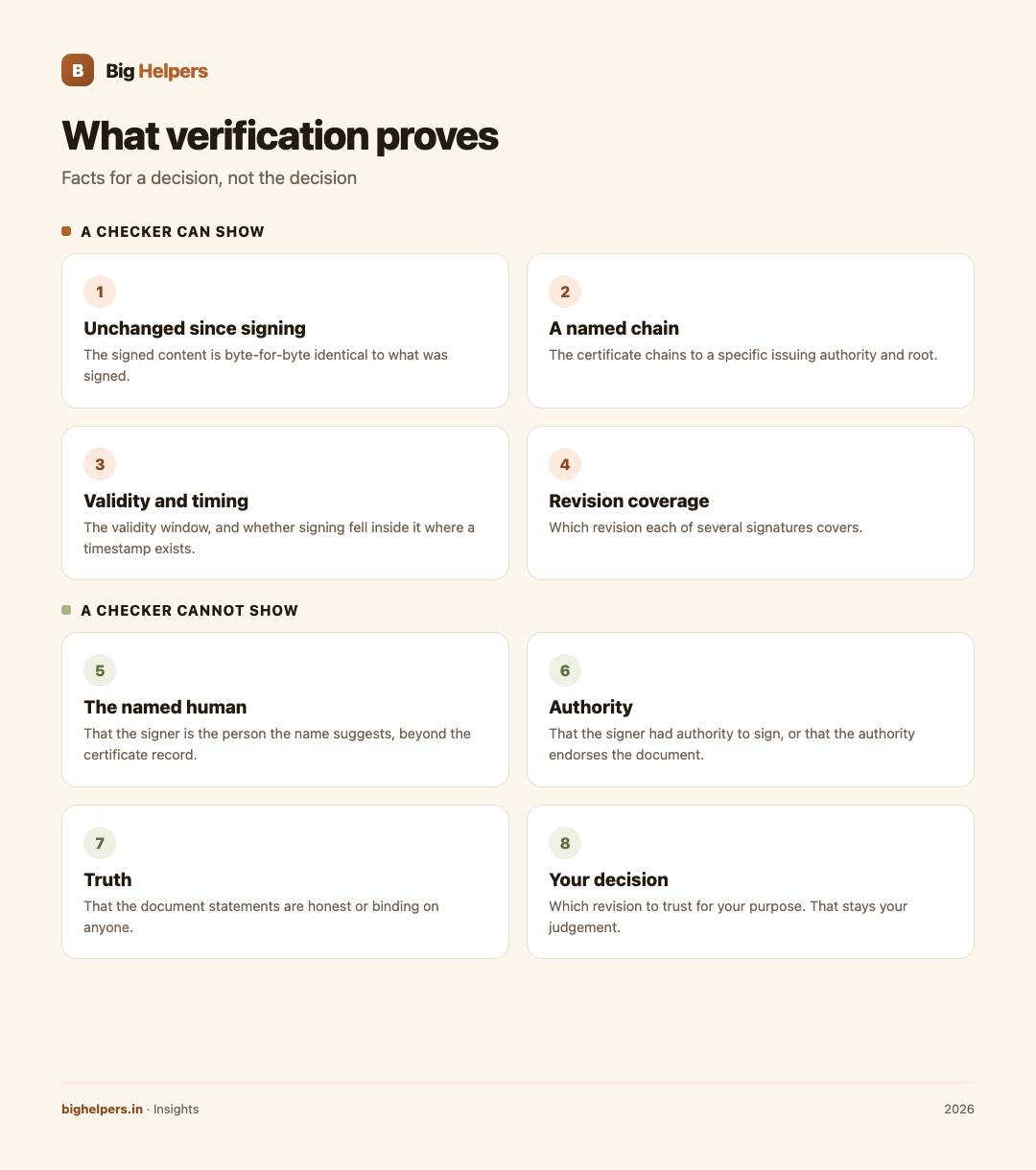
| A checker can show | A checker cannot show |
|---|---|
| The signed content is byte-for-byte unchanged since the signature was applied | That unsigned or later-added parts of the file were never altered |
| The signature verifies under the certificate named in the file | That the person named is who they claim to be, beyond what the certificate authority recorded |
| The certificate chains to a specific issuing authority and root | That the authority examined this document or endorses it |
| The certificate's validity window, and whether signing fell inside it where a trusted timestamp exists | That the signing key was not misused without the issuer's knowledge |
| Revocation status, when online checking or embedded revocation data is available | Revocation status when neither is available; absence of data is not a clean result |
| Which revision each of several signatures covers | Which revision you should trust for your purpose; that is your judgement |
| The technical reason a verification failed | Whether the failure means fraud, a misconfigured device or an unusual certificate profile |
Why the left column is still valuable
None of this is decoration. "Unchanged since signing" is exactly what paper workflows struggle to prove. If a signed offer, certificate or statement has held together cryptographically since it was signed, and the chain runs to an authority you have reason to trust, you have solid ground: the document you hold is the document that was signed. For disputes, that is evidence. For routine processing, it rules out accidental edits and sloppy manual tampering, which are far more common than sophisticated attacks.
Why the right column stays open
The gap between the columns is not a flaw in the software; it is the boundary of what cryptography says. A certificate binds a key to a name as recorded by the issuing authority. Whether that name belongs to the person who presented the key, whether that person may sign contracts for their organisation, and whether the content above the signature is honest, are questions about the world, not about the file. In India, the issuing side runs through Certifying Authorities licensed by the Controller of Certifying Authorities; a licensed chain tells you the certificate's origin story, not the document's truth.
How to use this table in practice
- Run the technical checks first. Presence, integrity, chain, identity fields, timestamp, revocation.
- Write down what you actually checked, including what was unavailable, such as no network or no embedded revocation data.
- Ask the world the remaining questions. Does this signer plausibly sign this kind of document? Does the content match what you already know from other channels?
- Corroborate high-stakes documents through a second channel: a phone number you already hold, an official portal, or a known contact.
- Keep the verification record with your copy of the document, so the facts you relied on are reconstructable later.
A worked example
An institute sends you a signed certificate PDF. The checker shows integrity intact, a chain to a trusted root, and a trusted timestamp inside the certificate's validity window. Good: the file is authentic to its signing event. It does not tell you the signer was authorised to award certificates or that the course was completed. For those, you check the institute's verification page or call a number you already had. The checker did its part; the rest was always yours.
Two cautions about wording
Do not describe a verified signature as "legally valid", "government approved" or "certified" unless a specific, applicable authority says so for that document. Those words carry meanings that belong to law and regulators, not to hash checks. And do not treat an "unknown" result as an accusation; most often it is a trust-list gap on the checking device.
A checker built around this boundary
SureSign, our free app, is designed to make the left column legible without pretending to the right one. Its App Store listing says it helps "you understand what was actually checked in a digitally signed PDF, in plain language, before you rely on it", checking signature integrity, signer and certificate facts, giving a trust summary, and supporting batch checks with CSV export and saved reports. The listing states core features require no account, there are no ads, analytics, advertising identifiers or tracking SDKs, reports stay on device, and verification uploads are discarded unless saved to Vault. SureSign is available on iOS. Android is in controlled testing.
Frequently asked questions
So is a signed PDF meaningless if I cannot verify it?
No, it is unverified on your device. The document may be sound; the gap may be a missing trusted root or no network. Establish which before judging the document.
Can a checker prove who signed?
It proves a key tied to a certificate was used. The binding of that certificate to a real person rests on the issuing authority's process.
Can it prove the document is original rather than a copy?
It proves the signed content is unchanged since signing. Copies of that file verify identically, which is a strength for distribution and a limit for proving which copy was first.
What if two signatures conflict, or a later edit appears?
Check which revision each signature covers. PDF signing permits later additions; the change may be a legitimate countersignature.
Does verification require internet?
Online checks such as live revocation lookups do. Embedded validation data in the file can substitute when present. Note which one your result used.
Can I rely on the checker alone for a high-value decision?
Use it as one input. Combine the technical result with corroboration through a channel you already trust.
Last reviewed: 29 August 2026.
What to do next
Before you next rely on a signed PDF, separate what the file proves from what the world still needs to prove. SureSign lays out integrity, signer and certificate facts in plain language and keeps reports on your device. SureSign is available on iOS. Android is in controlled testing. See the Big Helpers apps page for current status, read our guide on DPDP compliance, or contact us with a question.
Sources & references
- ETSI EN 319 142-1, PAdES baseline profiles
- Controller of Certifying Authorities, licensed CAs
- SureSign on the App Store
- Big Helpers apps page
Pricing in this guide is verified as of the article date. Verify with vendors before committing budget — rates change quarterly.