
The direct answer
You need four lists, not a heavy CRM: people and enquiries, quotes, invoices with payments, and expenses. BusinessSetu, an Indian small-business tool from the company behind Big Helpers, covers all four in its Core plan at Rs 799 per month: a customer diary, a lead board, quote PDFs that can become invoices, UPI QR on bills with full and partial payment records, expense receipts, and CA-ready exports. A 14-day free trial needs no card. Add a heavy CRM only when these four lists stop being enough.

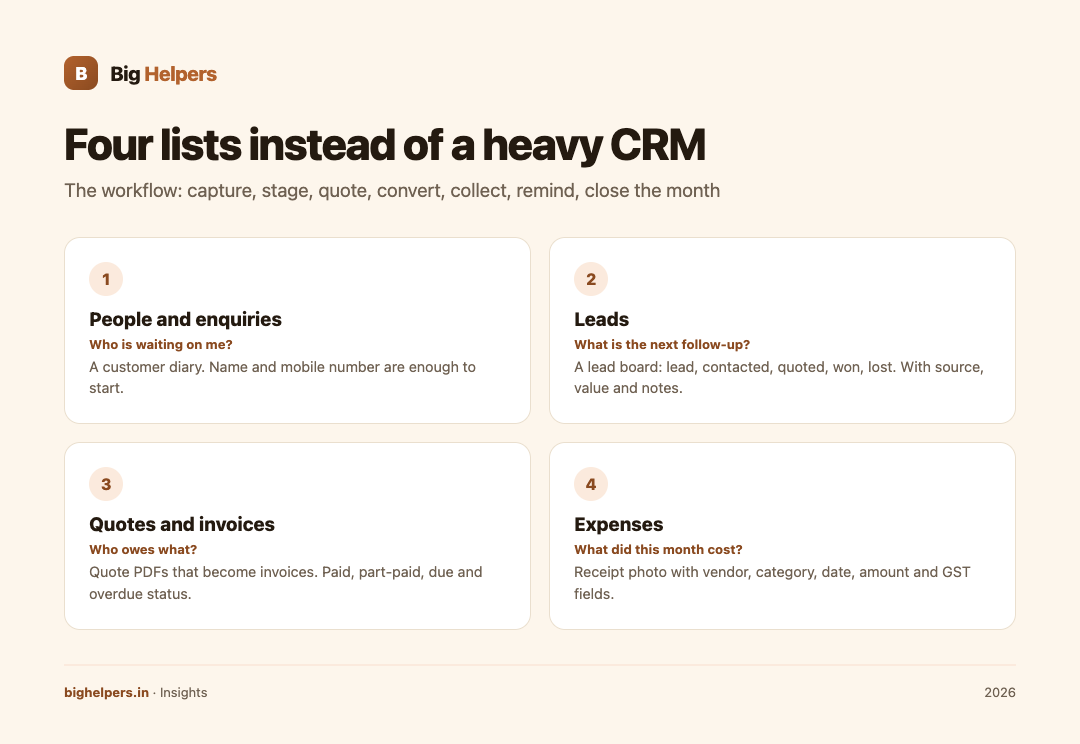
The four lists
| List | What lives in it | The question it answers | BusinessSetu feature (verified on its site) |
|---|---|---|---|
| People and enquiries | Every contact and where they stand | "Who is waiting on me?" | Customer Diary; name and mobile number are enough to start |
| Leads | Work you might win, by stage | "What is the next follow-up?" | Lead board with lead, contacted, quoted, won and lost stages; source, value, notes, next follow-up |
| Quotes and invoices | Committed and delivered work, money-wise | "Who owes what?" | Quote PDF; accepted quote can become an invoice; paid, part-paid, due and overdue status |
| Expenses | Money going out, with proof | "What did this month cost?" | Receipt photo with vendor, category, date, amount and GST fields, feeding a monthly export |
The workflow, one enquiry at a time
- Capture. An enquiry arrives on WhatsApp or email. Add the person to the customer diary. The site's wording is exactly right for solo operators: name and mobile number are enough to start.
- Stage. If it is a live opportunity, put it on the lead board with its source, value, notes and next follow-up date. The board's stages, lead, contacted, quoted, won, lost, mirror how service work actually moves.
- Quote. Send a written quote with services, taxes, notes and terms. BusinessSetu describes open quotes sitting beside the lead or customer, so the conversation keeps its context.
- Convert. When accepted, the quote becomes an invoice instead of a retype. GST or simple non-GST bills are both supported, with GSTIN, HSN or SAC, CGST, SGST, IGST and invoice numbering available for GST-format invoices.
- Collect. The invoice carries a UPI QR or UPI details, so payment is a scan rather than an account-number exchange. Record payments in full or in part; the pending amount stays visible without manual notes.
- Remind. If a payment sits past due, send a one-tap WhatsApp reminder that carries the invoice number, amount and UPI cue in one message. The site calls this controlled follow-up, not spam.
- Close the month. Export the invoice register and the expense register for your CA: invoice number, GSTIN, taxable value, GST split, total, paid and pending on one side; expenses with receipt references on the other.
A worked fortnight, illustrative
| Day | Event | Where it goes |
|---|---|---|
| 1 | Enquiry for a brand shoot | Diary entry; lead board as "lead" |
| 2 | Requirement discussed | Stage moves to "contacted"; note added |
| 4 | Quote sent as PDF | Stage moves to "quoted"; value recorded |
| 6 | Client accepts | Quote becomes invoice; UPI QR attached |
| 7 | Advance of half the total received | Part-payment recorded; pending balance visible |
| 9 | Cab and props bought for the shoot | Expense entries with receipt photos |
| 12 | Balance reminder due | One-tap WhatsApp reminder with invoice details |
| 15 | Balance received, invoice marked paid | Month-end CA export ready |
This table is an invented illustration of the flow, not a record of any client, and the timing is deliberately ordinary: the value is that nothing lives in your head.
Why this beats a heavy CRM for a solo creator
Heavy CRMs are built for teams with pipelines, permissions and managers who read reports about other people's work. A solo creator paying for that machinery usually ends up with a tool that demands data entry and returns dashboards nobody reads. The four-list approach costs minutes per week and answers the only questions that matter at this size: who is waiting, what is quoted, what is owed, what was spent.
Two boundaries keep it honest. First, whether GST applies to your invoices depends on your own registration status; the tool can print GST-format bills, but your accountant decides your liability. Second, if you employ people, sell across a team, or need custom fields your workflow genuinely uses, you have outgrown the light tool, and that is a different purchase decision.
When you genuinely need more
Consider a custom CRM when: several people must work the same pipeline with role-based access; your funnel needs logic no configured tool offers, such as service-specific intake or deep WhatsApp automation; or your reporting must combine sources on your own terms. Our comparison of custom CRM versus Salesforce versus Zoho and our custom CRM service page cover that decision, and our WhatsApp bot versus custom app comparison treats the automation side. Until one of those needs is real, the four lists are enough; see also our creators page for the rest of the creator stack.
FAQs
Is Rs 799 per month the whole cost?
The Core plan is Rs 799 per month and includes the diary, quotes, GST and non-GST bills, UPI QR, expense receipts, CA-ready reports and one-tap WhatsApp share. Optional add-ons such as leads and pipelines are priced separately on the pricing page, and a 14-day free trial needs no card.
Can I record part payments?
Yes, full and partial payments can both be recorded against an invoice, with the pending amount visible without manual notes.
Does it handle GST?
It issues GST-format invoices with GSTIN, HSN or SAC, and CGST, SGST or IGST fields. Whether you must charge GST depends on your registration status, which is your accountant's call.
What about expenses paid in cash?
Photograph the receipt, enter vendor, category, date, amount and any GST field, and the entry feeds the monthly expense export alongside digital payments.
How do I get data to my CA?
Use the CA-ready exports: the invoice register with GST split, paid and pending status, and the expense export with receipt references.
When should I move to a custom CRM?
When teams, roles or workflow logic outgrow configured lists. Before then, moving mostly buys complexity.
Your next step
Run your next enquiry through the whole flow in the free trial: BusinessSetu pricing shows what Core includes, and the use-cases pages walk through quotes, invoices, UPI payments, reminders and expenses in detail. Fourteen days, no card, and by the end of it you will know whether the four lists are enough.
Sources & references
- BusinessSetu pricing page: business-setu.com/pricing (fetched 29 August 2026)
- BusinessSetu homepage (customer diary wording): business-setu.com
- BusinessSetu use-cases pages: business-setu.com/use-cases
Pricing in this guide is verified as of the article date. Verify with vendors before committing budget — rates change quarterly.