
In brief
Five Big Helpers apps touch personal data directly: Taskss for notes and a journal, Copio for reusable text, Pixifold for images and PDFs, SureSign for checking PDF signatures, and Tijori for private photos and media. They are not interchangeable. Taskss, Pixifold, SureSign and Tijori are "Available on iOS. Android is in controlled testing." Copio is "Early access. Public store release is not yet available." This guide compares them by task, sensitivity, stated model and recovery questions, using only what the portfolio page actually claims, so you can pick by need rather than by marketing.

First, an honesty rule
Privacy claims deserve exact wording. Everything below quotes the portfolio descriptions verbatim, and where a claim is not made publicly, this guide says so instead of guessing. Before trusting any app with sensitive material, read its own store listing and policy pages. For DPDP context on how Indian sites and apps should handle personal data, our DPDP compliance guide explains the duties in plain language.
Match the tool to the sensitivity of the job
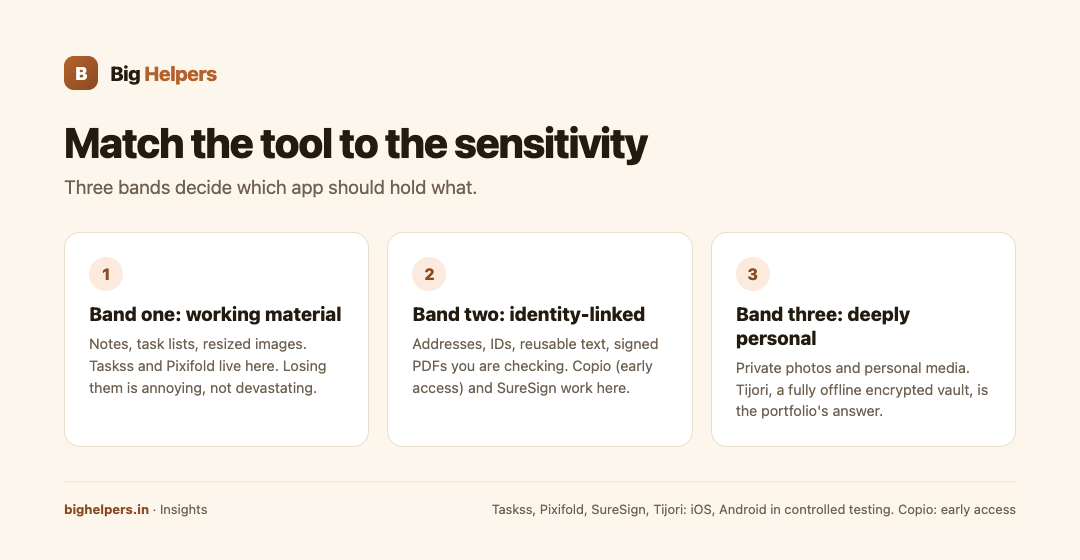
Think in three sensitivity bands.
Band one, working material: notes, task lists, resized images for a form. Losing them is annoying, not devastating. Taskss and Pixifold live here.
Band two, identity-linked material: addresses, IDs, reusable text about yourself or clients, invoices and agreements you are checking. Copio and SureSign work here, for different jobs.
Band three, deeply personal material: private photos and personal media you would not want on anyone else's server. Tijori is the portfolio's answer here, described as "A fully offline encrypted vault for private photos and personal media."
The five tools, one by one
Taskss: capture thoughts that are yours alone. The portfolio describes Taskss as "Offline-first tasks, notes, habits and a private journal in one place." Two words do the privacy work: offline-first, meaning the design starts on the device, and private, attached to the journal. A journal holds your unfiltered thinking, so treat it as band one to band two depending on what you write. Status: "Available on iOS. Android is in controlled testing."
Copio: stop pasting sensitive text into random apps. Copio is "A privacy-first clipboard for securely reusing text across devices." The problem it solves is real: people paste addresses, client details and half-written messages into whatever notes app is nearest. Copio is built for that reuse, explicitly privacy-first. Status: "Early access. Public store release is not yet available." You can join the waitlist today; you cannot install it yet, so your interim habit still matters.
Pixifold: keep file chores away from upload-happy tools. Pixifold offers "Private image and PDF tools for resizing, stitching, scanning and export." Resizing an ID photo or stitching a scan often pushes people to random web tools that upload the file. Pixifold is positioned as the private alternative for those chores. The public description says private; it does not enumerate its processing pipeline, so check the listing when you install. Status: "Available on iOS. Android is in controlled testing."
SureSign: verify without sharing. SureSign is "A trust utility for checking cryptographic signatures in PDF documents." This is a different category from the others: it is about verifying a document's signature, useful when a signed PDF arrives and you want to check it. Note what it is not: it is not a vault and not an editor. Treat it as a checking tool for band two material. Status: "Available on iOS. Android is in controlled testing."
Tijori: the vault for band three. Tijori is "A fully offline encrypted vault for private photos and personal media." Of the five, it makes the strongest stated claims: fully offline and encrypted. That combination targets the person whose primary question is "where do my private photos actually live?" Status: "Available on iOS. Android is in controlled testing."
Comparison table
| App | Task | Sensitivity band | Stated model (exact portfolio wording) | Availability today |
|---|---|---|---|---|
| Taskss | Tasks, notes, habits, journal | One to two | "Offline-first... and a private journal" | Available on iOS. Android is in controlled testing. |
| Copio | Reusing text across devices | Two | "A privacy-first clipboard for securely reusing text" | Early access. Public store release is not yet available. |
| Pixifold | Resizing, stitching, scanning, export | One to two | "Private image and PDF tools" | Available on iOS. Android is in controlled testing. |
| SureSign | Checking PDF signatures | Two | "A trust utility for checking cryptographic signatures" | Available on iOS. Android is in controlled testing. |
| Tijori | Storing private photos and media | Three | "A fully offline encrypted vault" | Available on iOS. Android is in controlled testing. |
The recovery question most people forget
Choosing where sensitive data lives is half the decision; getting it back is the other half. Before committing years of journal entries or a private photo collection to any vault, find the app's documented answers to three questions: how do I export my data, how do I restore it on a new device, and what happens if I forget my passcode. The public portfolio descriptions do not answer these, so ask before you migrate. For the waitlist stage, the Big Helpers waitlist privacy notice is explicit that it does not collect clipboard content, private vault content or in-app behaviour through its form, which tells you the interest form itself is not a data risk.
A suggested setup, conservatively
- Keep daily tasks and notes in Taskss; install from the portfolio page's App Store link.
- Handle image and PDF chores in Pixifold instead of unknown web uploaders.
- Check incoming signed PDFs with SureSign before acting on them.
- Move your private photo archive to Tijori only after confirming its export and recovery story satisfies you.
- Join the Copio waitlist for the clipboard problem, and until it ships, avoid pasting sensitive text into tools you have not checked.
Your next step
Open the apps portfolio page, pick the one band your most sensitive material falls into, and act on that single app's live link or waitlist entry.
Disclosure: these five apps are Big Helpers products, and this guide quotes their published descriptions verbatim rather than adding claims.
Frequently asked questions
Does privacy-first mean no data ever leaves the device?
Each app's public wording differs: Tijori states "fully offline", Taskss states "offline-first". For exact behaviour of each product, read its own listing and policy rather than assuming one standard across the portfolio.
Is Copio available to install?
Not publicly. Its exact status is "Early access. Public store release is not yet available." You can register interest on the waitlist.
Which app should hold private photos?
By stated description, Tijori, described as "A fully offline encrypted vault for private photos and personal media."
Can SureSign tell me if a document is legally valid?
The public description calls it a trust utility for checking cryptographic signatures in PDF documents. It checks signatures; it does not offer legal conclusions.
Do these apps share data with each other?
No connection between them is documented on the portfolio page. Treat them as separate tools chosen per job.
Where can I read the company's privacy position?
Start with the waitlist privacy notice and the main privacy policy. For how we approach privacy when building for clients, see our DPDP-compliant development service.
Sources & references
- Big Helpers app portfolio page, bighelpers.in/apps/ (app descriptions quoted verbatim, 29 August 2026)
- Big Helpers App Waitlist Privacy Notice, bighelpers.in/apps/privacy/
- Big Helpers privacy policy, bighelpers.in/privacy.html
Pricing in this guide is verified as of the article date. Verify with vendors before committing budget — rates change quarterly.