
Quick answer
Design visitor entry as six stages: arrival, minimum recording, resident confirmation, entry with a pass, exit, and exception handling. At each stage capture only what the stage needs, typically a name, a phone number and a flat number. Publish the workflow at the gate so visitors, guards and residents share one expectation, and keep an exception path for daily helpers, deliveries and accessibility needs.

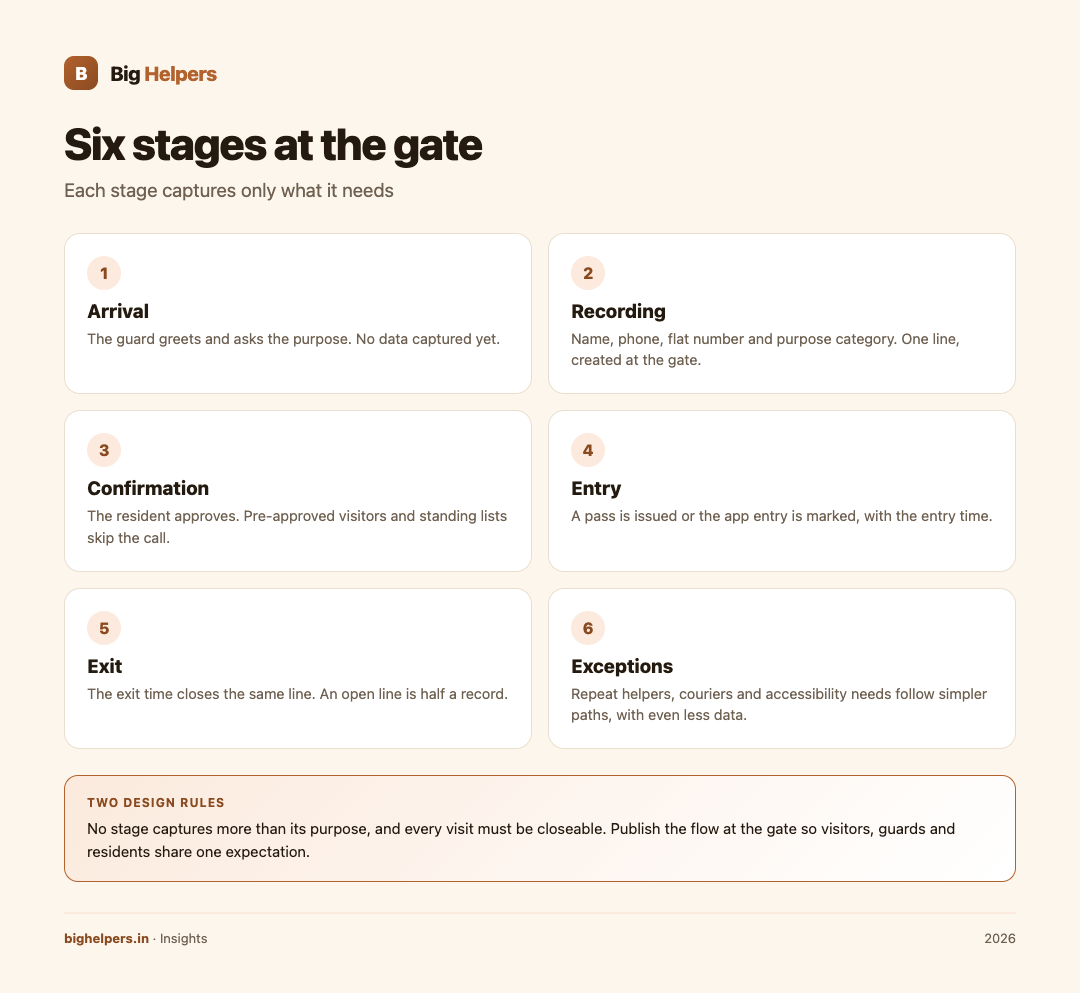
The six stages, mapped
A gate is a small process, and processes run smoothly when everyone can see the whole map. Here is the full journey of a visitor, with the minimum data each stage justifies.
| Stage | Who acts | What happens | Minimum data captured |
|---|---|---|---|
| 1. Arrival | Guard | Visitor stops at the gate; guard greets and asks purpose | None yet |
| 2. Recording | Guard | Entry line created in the register or app | Name, phone, flat number, purpose category |
| 3. Confirmation | Resident | Resident approves before entry; pre-approved visitors skip the call | Approval action itself, with time |
| 4. Entry | Guard | Pass issued or app entry marked; visitor proceeds | Entry time |
| 5. Exit | Guard or visitor | Exit marked on the same line, closing the visit | Exit time |
| 6. Exceptions | Guard, office | Separate, simpler paths for repeat helpers, couriers and special cases | Even less, because familiarity replaces data |
Two design rules hold the stages together. First, no stage captures more than its purpose: recording a name, phone and flat is enough for a guest; a courier needs a company name and a delivery reference, not a personal interview. Second, every visit must be closeable. An open line with no exit time is how registers grow into unmanageable, inaccurate books.
Stage 3 deserves the most attention
Resident confirmation is where queues form and where shortcuts are taken. Three patterns work in practice:
- Live approval. The guard calls or the app pings, and the resident approves within a short wait. Best for first-time guests.
- Pre-approval. The resident registers an expected guest, with a name and time window, before the guest arrives. The gate only verifies identity against the expectation. Best for dinner guests, electricians and family.
- Standing lists. Daily helpers, drivers and regular vendors sit on a recurring list approved once a month by residents, so the gate does not interrogate the same face every morning.
Pre-approval and standing lists do more for gate experience than any amount of queue discipline, because they remove the bottleneck rather than managing it.
Exception handling: the paths people actually need
Every society has cases the happy path does not cover. Publish these alongside the main flow:
- Unreachable resident. The guard does not guess. The visitor waits a defined period, then leaves a note or returns; office bearers decide any exception.
- Medical or other emergencies. A published emergency procedure lets the guard act first and record afterwards.
- First-time domestic staff. The flat's resident confirms by call on the first day; afterwards the person moves to the standing list.
- Large deliveries and furniture. A vehicle and helper count with the flat, not identity documents for every porter.
- Residents without phones, elderly residents and children. The society office holds a written instruction from the family about who may visit.
Accessibility is a requirement, not a courtesy
A visitor workflow is used by guards on 12-hour shifts, elderly parents, delivery riders in a hurry and residents with disabilities. Four practices keep it usable:
- High-contrast, large-text interfaces for the guard, readable in sunlight and at night.
- Speech-friendly recording. A guard should be able to record a visitor by typing very little, since many visitors arrive while two more are waiting.
- No ID demands for familiar faces. Daily helpers should not fish out documents every morning.
- A wheelchair or walker changes nothing in the flow. If the gate physically slows some residents' guests more than others, fix the gate.
Common mistakes
- Collecting identity copies at the gate. A register of names serves the purpose; a drawer of photocopies creates risk for visitors and the society alike.
- Calling the flat for the same daily helper every day. Standing lists exist for exactly this.
- Open lines never closed. Exit times are half the record; without them, a register proves nothing.
- One book for everything. Guests, couriers and helpers have different purposes and different retention needs; treat them separately.
- Guard as decision-maker. When a resident is unreachable, guards should follow a published rule, not make security judgements alone.
- No notice at the gate. A printed card explaining the flow, in English and Hindi or the local language, prevents most arguments.
Where Agman fits
Agman by Big Helpers is built for residential society and visitor workflows for safer, simpler arrivals, and its store listing maps well onto the stages above. For residents, it supports approving or declining visitors in real time, pre-approving expected guests, showing a rotating signed gate pass, and managing family members and vehicles. For the gate, it supports recording visitors, couriers and temporary passes, verifying signed gate passes even when the network is unavailable, working from a clear high-contrast guard interface, and keeping a daily duty record. For office bearers, it supports mapping blocks, floors and flats, inviting residents, managing guards, importing a resident roster and reviewing society and gate MIS. The listing also states clearly that Agman is a record-keeping and communication tool that does not replace guards, physical checks, emergency services or your society's own security procedures. Agman is available on iOS. Android is in controlled testing.
One next step
Write your society's six-stage flow on one page and paste it at the gate, in two languages. To see a purpose-built tool, Agman is listed with its current status on the Big Helpers apps page. Society offices reviewing their gate setup can also talk to Big Helpers.
Frequently asked questions
How much data should the gate record about a guest?
Name, phone number, flat and purpose category, with entry and exit times. Anything more needs a reason the society can state to the visitor.
What about couriers and food deliveries?
A courier needs the company, the flat and a reference or OTP from the resident's order. Personal details of the rider are unnecessary; the delivery platform holds them.
Should daily helpers sign the visitor register every day?
A standing list with a monthly review is cleaner for everyone: the guard marks attendance against a known person rather than interrogating a familiar face.
What if a resident refuses entry to a guest who has already arrived?
The guard follows the resident's decision without argument or explanation to the guest beyond a polite "the flat has asked to postpone the visit". Discretion protects everyone.
How long should visitor entries be retained?
Long enough to investigate an incident, typically 30 to 90 days for routine entries, then deletion. Legal questions about specific retention belong with the society's adviser.
Can the app work when the gate has no network?
Agman's listing specifically notes that signed gate passes can be verified even when the network is unavailable, which matters for Indian gate conditions.
General process guidance, not legal advice. Societies remain responsible for their own security rules and any applicable legal duties.
Sources & references
- Big Helpers apps page, store availability checked 29 August 2026
- Agman App Store listing, official Apple iTunes metadata (id6794254109)
Pricing in this guide is verified as of the article date. Verify with vendors before committing budget — rates change quarterly.