
Short answer
Keep four types of information in four homes inside one system. Tasks are commitments with a date. Notes are reference material you will search later. Habits are repeats you want to become automatic. A journal is private reflection with no deadline. Give each type one home, name things the same way every time, and tidy up weekly so the system stays small enough to trust. Taskss puts all four in one offline-first app with an encrypted journal, available on iOS.
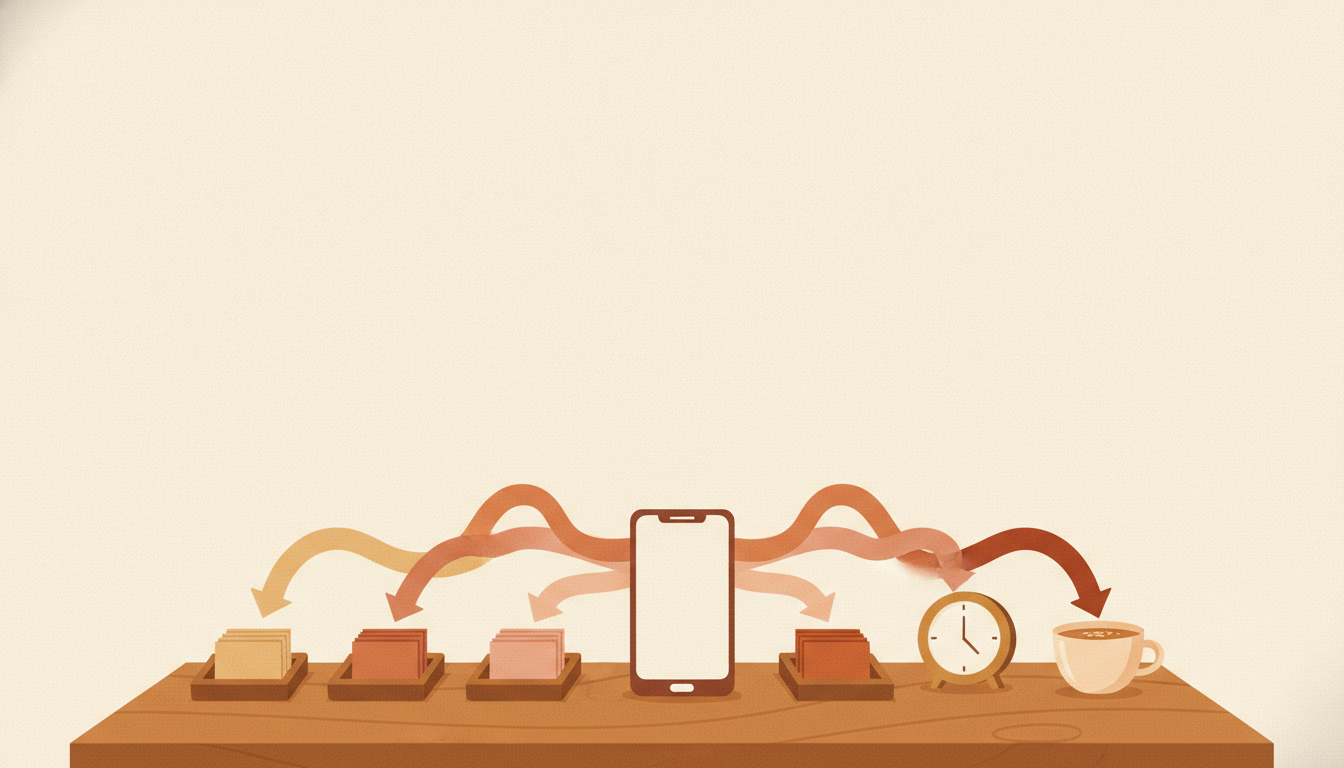
Four information types, in plain words
The mistake most people make is not laziness. It is mixing four different kinds of information in one long list. A shopping item, a client's GST number, a wish to walk daily and a private worry about money all end up as "notes" in one app, and nothing is findable again.
Separate them by how you use them, not by how they feel.
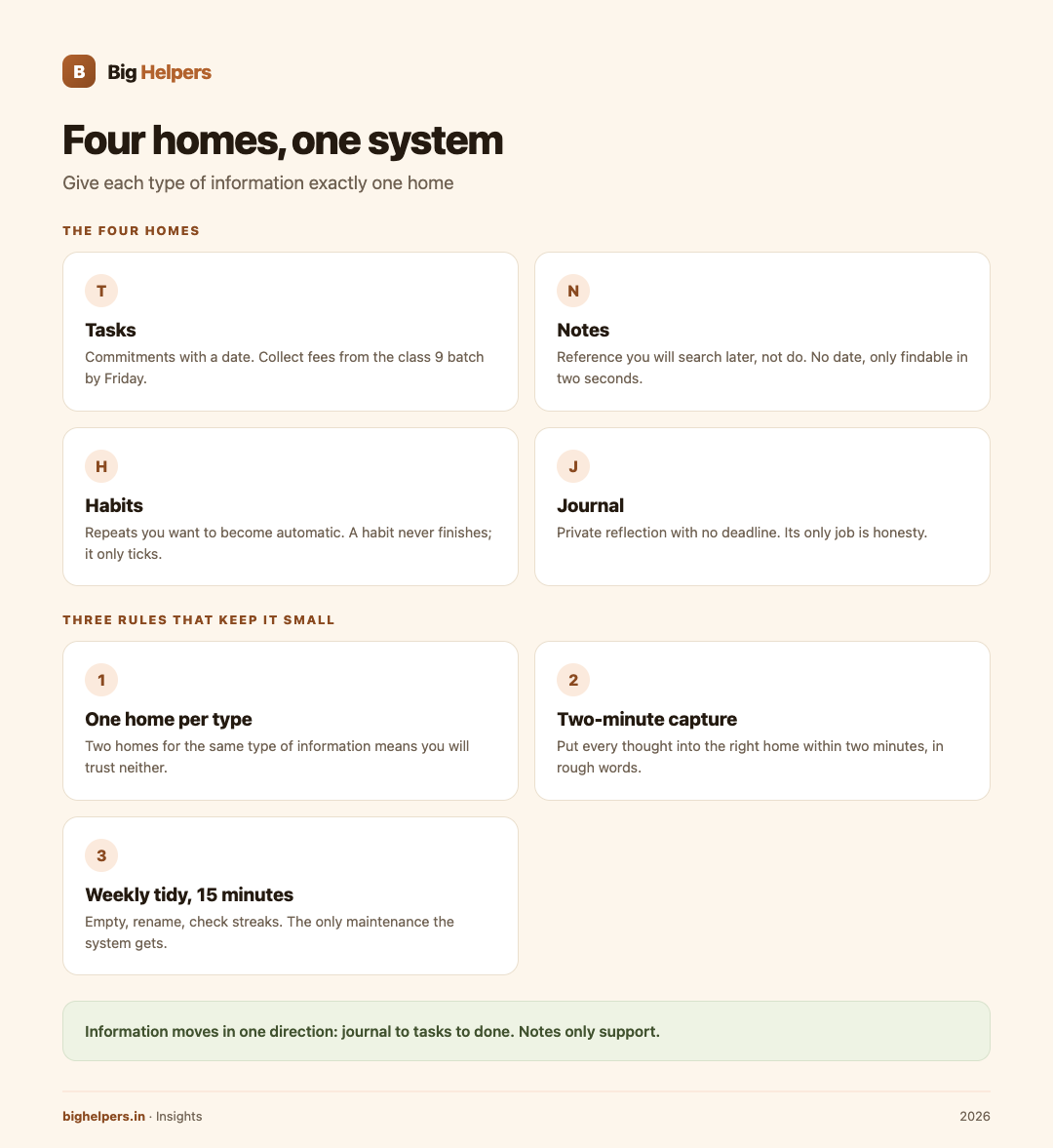
A task is a commitment with a date. If you cannot say when it must be done, it is not a task yet. Example from Rakesh, who runs home tuition classes in Lucknow: "Collect fees from the class 9 batch by Friday." Clear verb, clear date.
A note is reference material you will search, not do. Parent contact rules, the syllabus split for the term, the wifi password of the study room. A note has no date. It just needs to be findable in two seconds, six months from now.
A habit is a repeat you want to become automatic. Checking homework at 6 pm daily, revising accounts every Sunday. Habits fail when they are stored as tasks, because a task is allowed to be finished and forgotten. A habit never finishes; it only ticks.
A journal is private reflection with no deadline. What worked this week, what drained you, what you are worried about. A journal has no wrong answers and no audience. Its only job is honesty, which is also why its privacy matters.
Where the four connect
Separated does not mean isolated. The connections are what turn four containers into one system.
- A task can point to a note. "Send term report cards" links to the note holding the school's format rules.
- A journal entry often spawns tasks. Writing "collections are late every month" should end with "set a fixed collection date from next term" on the task list.
- A habit feeds the journal. Three weeks of ticked 6 pm homework checks become evidence for a journal line: the evening batch is calmer now.
- Notes reduce tasks. A good template note means the task "prepare revision sheet" takes ten minutes instead of forty.
One rule keeps the connections healthy: information moves in one direction, from journal to tasks to done. Notes only support.
Three rules that stop the system becoming a second job
One home per type. One place for tasks, one for notes, one for habits, one for the journal. Two homes for the same type means you will trust neither. The homes can be four sections of one app, or four apps, but each type gets exactly one.
Two-minute capture. When a thought arrives, put it in the right home within two minutes, in whatever rough words you have. Cleaning up is for the weekly tidy, not for the moment of capture. If filing takes longer than thinking, the system will not survive February.
Weekly tidy, fifteen minutes. Empty the tasks you keep postponing, either by doing, dating or deleting them. Rename notes so search works. Check habit streaks. The tidy is what keeps the system honest, and it is the only maintenance the system gets.
Rakesh's week in one system
Rakesh teaches 34 students across three batches. Here is a normal week.
Monday: he captures "buy new whiteboard markers" as a task dated Wednesday, saves the new exam pattern circular as a note, and ticks the 6 pm homework habit. Wednesday: markers bought, task ticked. A parent asks for a progress summary; he starts a task "send Aarav's summary by Saturday" and links the note "report format, term 2". Friday: fees collected. In the journal he writes two lines: parents respond faster on WhatsApp than calls; the 7 am batch is losing attention after 40 minutes. Sunday tidy: the first journal line becomes a habit, "send batch update every Friday at 4 pm", and the second becomes a task, "split 7 am batch into two 25-minute blocks from Monday".
Nothing fancy. Four homes, one direction of flow, fifteen minutes of tidying.
Signs your system has grown too complex
Fix these when you see them:
- You rewrite your system instead of using it. New colours, new folders, new apps. Fix: freeze everything for a month and only capture.
- Tags and projects outnumber tasks. Fix: delete every label you have not used in two weeks.
- The journal became a to-do list. Fix: move actionable lines to tasks, keep only reflection.
- You keep the journal somewhere you would not want it read. Fix: move it somewhere private by design.
Where Taskss fits
Taskss is a Big Helpers app. The apps page describes it as "Offline-first tasks, notes, habits and a private journal in one place", which is exactly the four-homes-in-one-system shape described above. Availability, in the page's words: "Available on iOS. Android is in controlled testing."
Details verified on the App Store listing on 29 August 2026:
- Tasks, calendar, notes, habits and journal inside one app, working offline, syncing when you reconnect.
- Today, Upcoming and Browse views keep the task list short; projects, areas, labels, filters and templates are optional structure.
- Month, week and day calendar views sit beside tasks, so events and to-dos share one day.
- Notes keep rich text and attachments, with folders, and a lock on folders you would rather keep to yourself.
- The journal is, per the listing, "encrypted on your device with a passphrase only you know", with the maker stating it stores but cannot read it.
- No advertisements, no tracking, nothing sold, and the app is free while in beta.
The system above does not require Taskss. Four honest homes can be a diary, a notebook, a wall calendar and a phone reminders app. Taskss is one offline-first workspace with the four homes already built in, which removes the commonest failure point: assembling your own and abandoning it halfway.
For related reading, the guide to choosing between a custom mobile app and a WhatsApp bot and the mobile app development page explain how Big Helpers approaches app builds. Tutors, shop owners and coaches running tight weekly routines may also like the local business page.
Frequently asked questions
Should I use one app or four separate apps?
One home per type is the rule; whether the homes share an app is your choice. One app reduces friction; four only work if each is the best at its job. Most people maintain one app better than four.
How private is the journal in Taskss?
The App Store listing says the journal is encrypted on your device with a passphrase only you know, and that the maker cannot read it. This is the vendor's published claim. Set a strong, unique passphrase; it is the real lock.
I currently WhatsApp myself reminders. Is that a system?
It is capture, which is half a system. Those messages have no dates, no homes, no tidy. Move each item into its proper home the same day.
What if I already missed weeks of habits and journal?
Restart from today, do not backfill. A journal written under guilt is not honest; write only when you have something to say.
Does the built-in calendar replace my other calendar?
The Taskss listing shows month, week and day views inside the app beside your tasks. Use whatever calendar you will actually maintain. The value is seeing events and tasks in one day view, not owning two calendars.
How long until this feels natural?
Two to three weeks for capture, a month for the weekly tidy. If it still feels like homework after six weeks, simplify rather than abandon.
What to do next
Taskss is available on iOS. Android is in controlled testing. iPhone and iPad users can see Taskss on the App Store. Android users can join the Big Helpers interest list at bighelpers.in/apps and choose Android as the platform. The interest list is not a download or a release-date promise.
Sources & references
- Big Helpers apps page - app descriptions, availability status and waitlist details, checked 29 August 2026.
- Taskss on the App Store - offline behaviour, journal encryption, features and beta pricing, checked 29 August 2026.
Pricing in this guide is verified as of the article date. Verify with vendors before committing budget — rates change quarterly.