
TL;DR: six checks, then the order
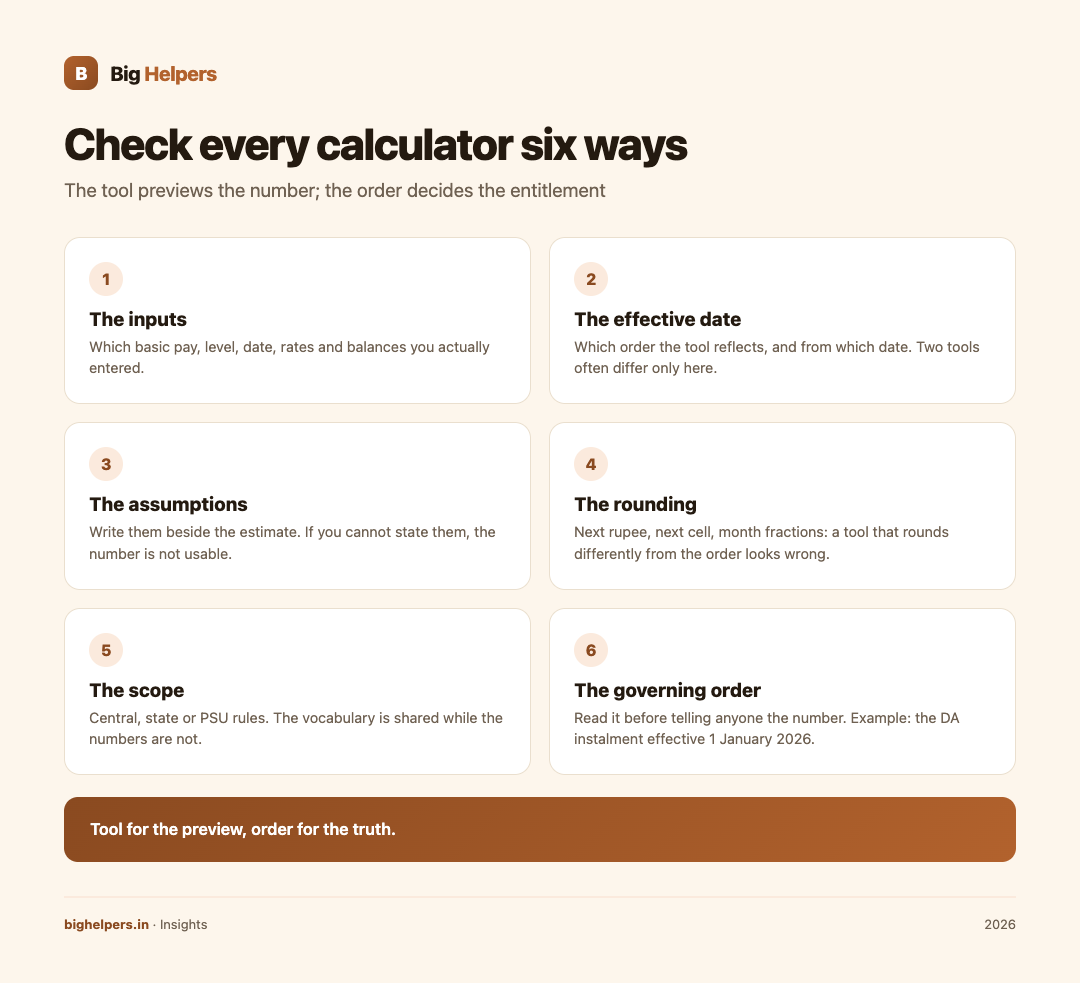
Treat every pay and leave calculator, including official ones, as an estimate to be checked against the current order. Six checks do it:
- Verify the inputs
- Verify the effective date
- Write down the assumptions
- Check the rounding
- Check the scope
- Read the governing order itself
No calculator output should be treated as an authoritative entitlement.

Why calculators drift from your payslip
A calculator is a formula frozen on the day it was written. Pay rules move through office memoranda, dearness allowance revisions twice a year, and rule amendments; leave rules move through circulars and court orders. Even a perfectly built tool answers only the question its inputs describe. So the habit to build is not "find a better calculator"; it is "check the estimate against the paper that governs it".
The six checks
Check 1: The inputs
List what the tool asked for and what you entered: basic pay or pay matrix level and cell, the date, the allowance rates in force, the leave type and balance. One wrong input, such as last year's basic or a mis-entered level, quietly produces a confident wrong answer. Where a tool does not show which rate it used, treat its output as unverifiable.
Check 2: The effective date
Every pay order carries an effective date, and estimates differ across that date. A concrete example: the Union Cabinet's approval of an additional dearness allowance instalment for central government employees and dearness relief for pensioners takes effect from 1 January 2026, as recorded on the PM India update. A calculator updated before that approval cannot reflect it; one updated after must state which months it applies to. When you compare two tools, you are often comparing two different dates.
Check 3: The assumptions
Tools assume. That arrears depend on what the office actually disburses and when; that allowances some departments pay do not exist elsewhere; that a rule change applies from a retrospective date or a prospective one. Write the assumptions down beside the estimate. If you cannot state them, the number is not yet usable.
Check 4: The rounding
Pay arithmetic is full of small rules: rounding to the next rupee, rounding a stage up to the next cell, treating part of a month as a full month for one purpose and as a fraction for another. A tool that rounds differently from the order produces small, persistent differences that look like errors in your payslip but are not.
Check 5: The scope
Which service does the tool cover? The CCS (Leave) Rules, 1972 compilation on DoPT, updated as on 18 October 2023, governs central civil services; state governments and PSUs have their own rules, and industrial and railway establishments differ again. A leave calculator built on central rules will be wrong for a state employee in ways that are hard to spot, because the vocabulary, casual leave to earned leave, is shared while the numbers are not.
Check 6: The governing order
Finally, read the order. DoPT and Department of Expenditure orders, state finance department circulars and establishment rules are the documents that decide entitlement; calculators only preview them. For an official example of a calculator surface, the pensioners' portal calculators sit beside the pension rules they implement, which is the correct relationship: tool for the preview, order for the truth.
Mapping calculator outputs to governing documents
| Calculator output | What governs it | Where to check |
|---|---|---|
| Revised basic pay | Pay rules and fixation orders for your service | Pay commission notification and department fixation orders |
| Dearness allowance | The latest DA order and its effective date | Cabinet decision or finance department order |
| Leave balance and eligibility | Service leave rules, as amended | Leave rules compilation for your service |
| Pay on promotion | Fixation rule cited in the promotion order | The cited fundamental rule or service rule |
| Pension or gratuity estimate | Pension rules and the retirement date in force | Pension rules and department instructions |
A worked verification, not a calculation
Suppose a tool tells a central government employee that dearness allowance from January 2026 is two points higher than before. The verification path is exactly six steps long: confirm the tool asked for a post-January 2026 date; confirm the effective date of 1 January 2026 in the Cabinet update; note the assumption that no further revision intervened; ignore sub-rupee rounding; confirm the tool covers central government employees and not a state service; and then read the order itself before telling anyone the number. That path applies unchanged to leave counts, fixation on promotion and pension estimates. We deliberately do not walk it with a real person's figures, because a personalised entitlement calculation is a matter for the office that pays you.
Date and scope warnings worth keeping
Rules named after years rot fastest. Whenever you read a piece of advice that cites "the 2016 rules" or "the January 2026 rate", check the current version of that document before relying on it, because amendments arrive without changing the headline year. The leave compilation above is dated 18 October 2023 precisely so readers can tell what version they hold; prefer sources that carry such dates, and distrust any that do not.
FAQ
Are official calculators authoritative?
No. Even government-hosted calculators are aids. The governing order decides entitlement; a calculator previews it.
How often do pay estimates go stale?
At least twice a year for dearness allowance in central service, plus any ad hoc orders. Check the effective date on every use.
Why do two calculators give different answers?
Usually different effective dates, different scope, or different rounding. Run the six checks and the difference almost always names itself.
What if the calculator matches my office's figure?
Good, but the order is still the authority. A matching estimate raises confidence; it does not create entitlement.
Where do I find the order for my service?
Start from your department's establishment or pay page. Central employees can begin at the DoPT leave compilation and the PM India or ministry update for allowance decisions; state and PSU employees should use their own finance and establishment departments.
Your next step
Next time a calculator gives you a number, spend five minutes on the six checks and write the assumption line beside the result. For the wider picture of digital tools in government workplaces, see our government and PSU page; our apps page lists KaryaYogi, our early-access planning toolkit for service workflows, with its exact current status, and the insights library holds our other decision guides for working professionals.
Disclaimer
This article is general information, not pay or leave advice, and no figure here computes any individual's entitlement. Orders, rates and rules change; always verify against the current order for your service before acting. Cited documents are central-government examples; state and PSU rules differ.