
The short answer
Before your phone leaves your hands, do four things in order: back up everything you care about, sign out of your accounts, strip what should not travel, and use the right protection for the scenario: repair mode for repairs where it exists, a full erase with verification for resale, and locked, encrypted storage for lending. Every path has limits, so back up first; a backup is the step you will never regret.
The master checklist
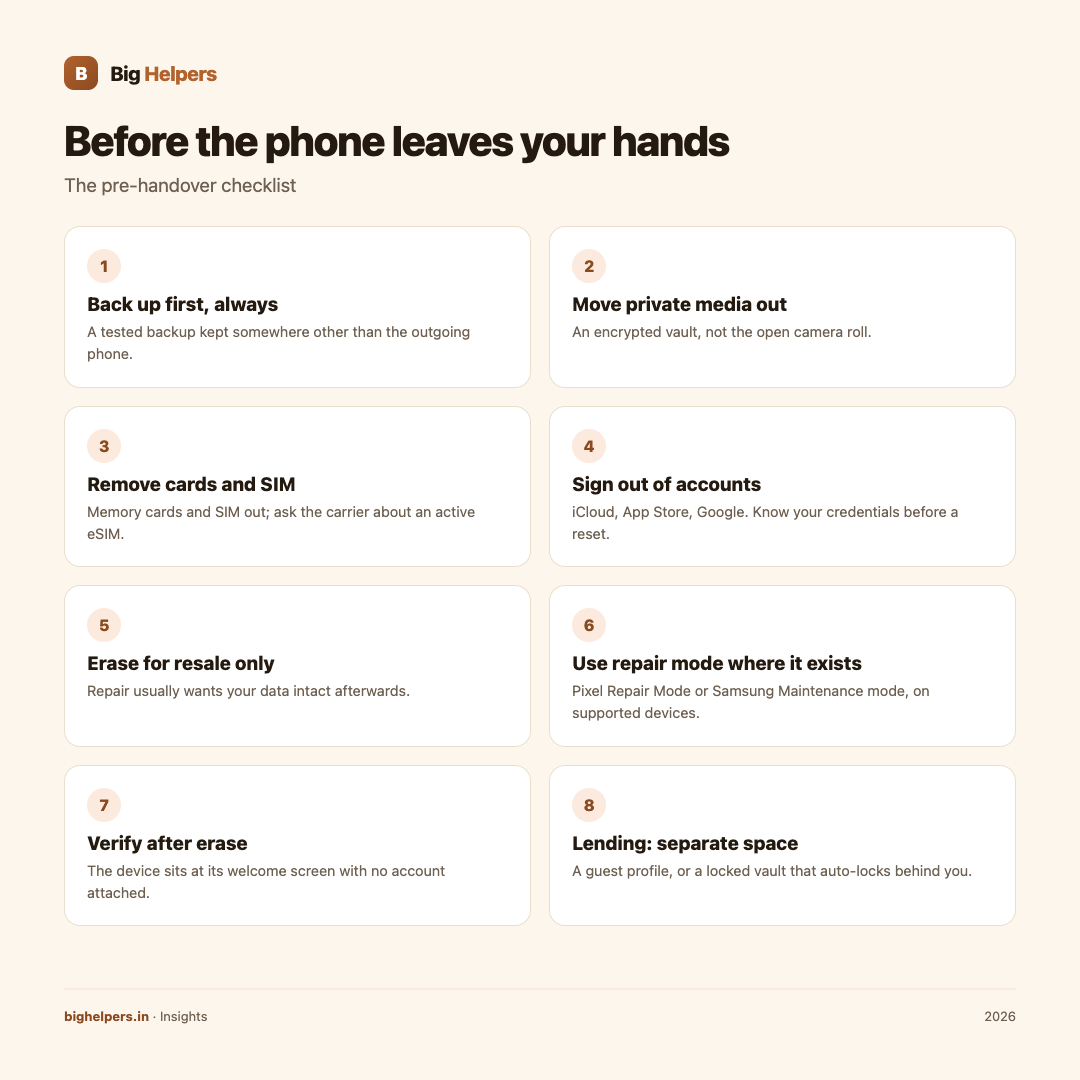
- Back up first, always. Create a backup you have tested, kept somewhere other than the phone going out the door.
- Move private media out of easy reach. Photos, videos and documents you would not show a stranger belong in an encrypted vault, not the open camera roll.
- Remove memory cards. Apple's handover guidance includes removing memory cards along with SIM cards; storage cards are the easiest thing to forget and the easiest to keep.
- Handle the SIM and eSIM. Remove the physical SIM and keep it. For an active eSIM, ask your carrier about transferring or pausing it before a long repair or sale.
- Sign out of accounts. For resale on iPhone, Apple's guidance is to sign out of iCloud and the App Store, deregister iMessage if switching, then erase. On Android, know your Google account credentials before you start; a reset expects them.
- Erase for resale, not for repair. Resale means the device never comes back: erase fully. Repair usually means you want your data intact afterwards, which is what repair modes are for.
- Use repair mode where it exists. Pixel Repair Mode and Samsung Maintenance mode exist for exactly this; details below.
- Verify after erase. The finished device should sit at its welcome or setup screen, with no account attached. Removing the device from your account list confirms the lock released.
- For lending, use a separate space. A guest or secondary user profile, where your phone supports one, or a locked vault for the media that matters.
- Write down what you did. Note the date, what was backed up and what was erased, so recovery questions have answers.
Repair: use the mode, know the limits
Google's Pixel Repair Mode starts what the support page calls "a clean Android OS in a dedicated secure partition with limited functions", so a technician can service the device while your data stays inaccessible. It needs Android 14 with the December 2023 update or later and about 2 GB of free storage. Google also advises removing your SIM card before sending the phone for repair. Two limits: when you exit Repair Mode, changes made during the repair are removed, and Google's repair partners decide whether a data reset is needed even when Repair Mode is used.
Samsung calls its version Maintenance mode, described as protecting your privacy while someone else uses the phone, such as during repairs. Enable it under Settings, Device care, Maintenance mode, with a screen lock set. Personal data is blocked, only preinstalled apps remain, and apps installed during the mode are removed when you exit. It requires Android 13 or higher; availability varies by model.
On iPhone there is no equivalent built-in mode; Apple's guidance centres on backing up and, when the device leaves your possession for good, signing out and erasing. For a repair where you keep your data, a strong passcode plus private media inside an encrypted vault is the practical protection.
One more honest limit: some faults need an unlocked device to diagnose, and board-level repair means physical access. Repair modes reduce routine snooping; they do not make handing over hardware risk-free. Hence the backup first.
Resale: erase, then verify
On iPhone, follow Apple's sequence: back up, unpair a paired Apple Watch, sign out, deregister iMessage if switching platforms, then Settings, General, Transfer or Reset, Erase All Content and Settings. Erasing turns off Find My and Activation Lock, and Apple notes your content is not deleted from iCloud when you erase the device. Remove it from your trusted devices list afterwards.
On Android, Google's reset guidance says to know your Google account username and password before you reset, and that a factory data reset erases data from the phone while data stored in your Google account can be restored. After the reset, confirm the phone shows its setup screen and your account is no longer attached.
Verification is the step people skip. A phone sold still logged into an account is a phone that comes back. Check the setup screen yourself before money changes hands.
Lending: separate spaces, locked media
For a phone you hand to a family member, a child or a colleague: prefer a guest or secondary user profile where your phone supports one, and keep private media inside an encrypted vault that locks itself. The point is not suspicion; accidents and curiosity are ordinary events.
Tijori, our free iOS vault app, handles this layer. Its App Store listing describes a fully offline encrypted vault for photos, videos, documents, cards and notes, with no account, cloud, ads or tracking, unlock with your PIN and supported biometrics, auto-lock when you leave the app, and separate protection for private folders. Because the vault is offline, nothing waits on a server, and because it auto-locks, a handed-over phone shows an unlocked photo library but a locked vault. The listing also describes exporting a password-protected encrypted backup to a destination you choose, the backup step in this checklist, and notes the app does not upload or sync that backup for you. Tijori is available on iOS. Android is in controlled testing.
Frequently asked questions
Is repair mode enough on its own?
It is a strong layer on supported devices, but back up first anyway; some faults need deeper access. Treat it as protection, not immunity.
Should I erase my phone before every repair?
No, and most repairs do not want it. Erase for resale; use repair mode or locked storage for repairs.
What about eSIM when selling?
Ask your carrier to transfer or disable it as part of the sale. An eSIM left active on a sold phone is a live line in someone else's pocket.
How do I know the erase actually worked?
The device must sit at its first-time setup screen, with no account attached, and it should no longer appear as an active device in your account's device list.
Can I lend my phone without setting anything up?
Keep a strong screen lock and put private media in a vault that auto-locks. A guest profile, where supported, is better than your own unlocked session.
Where should the backup live?
Off the phone being handed over: your computer, a drive you keep, or the vault's exported encrypted backup.
Last reviewed: 29 August 2026.
What to do next
Before your next repair visit, resale or lending handover, run the checklist top to bottom. Tijori gives private media a locked, offline home with PIN and biometric unlock, auto-lock and encrypted backup export, so the handover checklist has one fewer open item. Tijori is available on iOS. Android is in controlled testing. See the Big Helpers apps page for current status, read our insights guides, or contact us with a question.
Sources & references
- Apple, sell, give away or trade in your iPhone
- Google, Pixel Repair Mode
- Samsung, Maintenance mode (India)
- Google, reset your Android device
- Tijori Private Photo Vault on the App Store
- Big Helpers apps page
Pricing in this guide is verified as of the article date. Verify with vendors before committing budget — rates change quarterly.