
The short answer
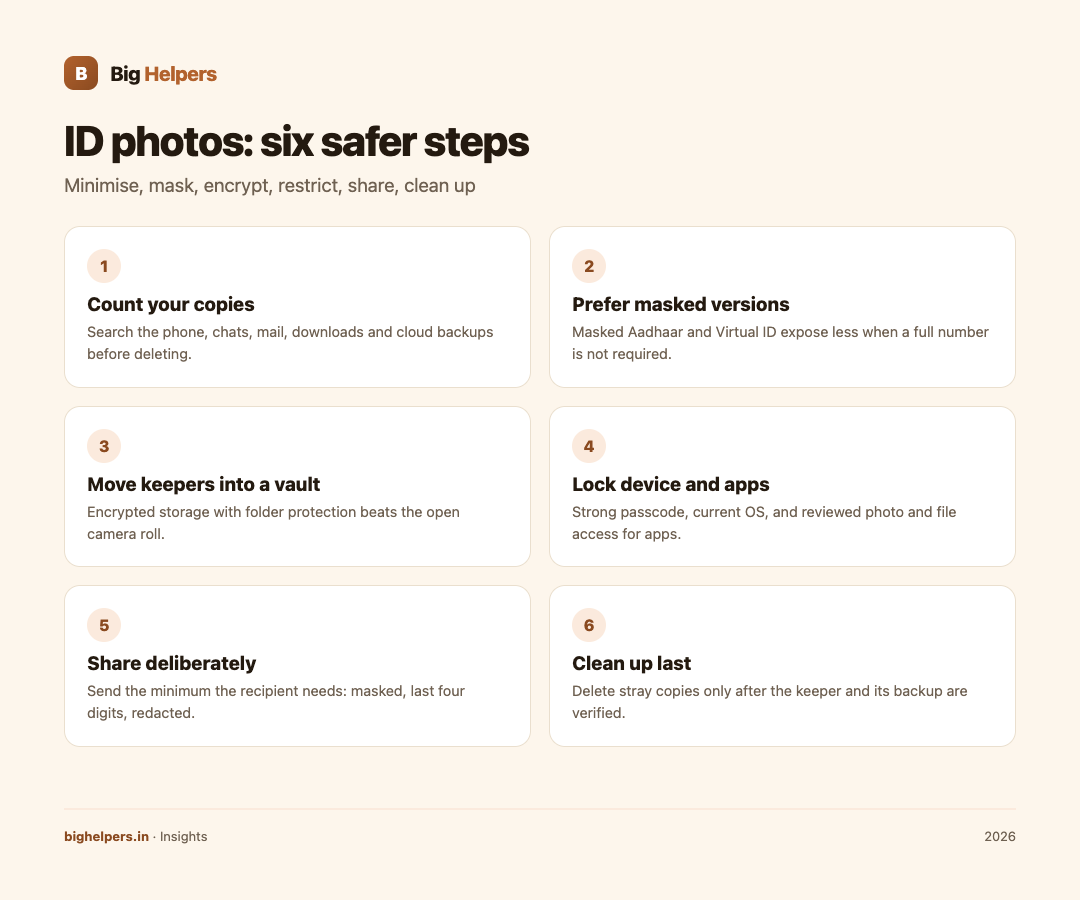
Store fewer copies, in fewer places, behind stronger locks. Keep only the ID photos you genuinely need, prefer official reduced-exposure versions such as UIDAI's masked Aadhaar or Virtual ID where they exist, move the keepers into encrypted storage on your device, restrict which apps can reach your photo library, and share deliberately with the masked version. Clean up stray copies only after you confirm the keeper and its backup are safe, never before.
Step 1: Find out how many copies you already have
Most people are surprised. Photos of IDs live in the camera roll, the downloads folder, attachments in email and chat apps, cloud photo backups, and inside banking apps' upload histories. Spend fifteen minutes searching your phone and accounts for one Aadhaar image or PAN photo and you will usually find several.
Do not delete anything yet. First make a simple list: what exists, where, and which copy is the best one. Deleting comes last, after the safe copy exists.
Step 2: Prefer official low-exposure versions
Where an authority offers a reduced-exposure version of a document, use it for sharing. UIDAI's own services page, for example, lists Download Masked Aadhaar, where "only the last 4 digits of your Aadhaar number are visible", protected by mobile OTP, alongside Generate Virtual ID, a 16-digit number usable in place of the Aadhaar number, and biometric locking options. When a form only needs proof of identity, the masked version usually serves, and it exposes less. Keep the unmasked original only where a specific process genuinely requires it.
Step 3: Move the keepers into encrypted storage
A camera roll is built for convenience, not compartmentalisation: any app with photo access, any share sheet slip and any auto-syncing backup touches it. Private documents belong in a separate, locked space.
Tijori, our free iOS vault app, is built for this. Its App Store listing describes it as a fully offline encrypted vault for photos, videos, documents, cards and notes, with no account, cloud, ads or tracking, and no internet access. The listing states you can import documents and cards, organise them in an encrypted gallery with private folders, each with their own access protection, and unlock with your PIN and supported biometrics. Two features matter specifically for IDs: the listing states Tijori can "scrub EXIF and GPS location data from imported photos", and can "blur or redact sensitive details before saving an encrypted copy", so you can keep a redacted version for sharing alongside the full one. The developer states no data is collected. Tijori is available on iOS. Android is in controlled testing.
Step 4: Lock the device and the apps
The vault is one layer; the phone is another.
- Set a strong device passcode, not a trivial pattern.
- Keep the operating system current; updates carry security fixes.
- Review which apps have photo library, camera and files access, and revoke what does not need it.
- Turn on device-level protections such as biometric unlock and auto-lock, and check whether your phone offers extra protections if it is stolen.
Step 5: Share deliberately
Send the minimum the recipient needs: masked Aadhaar instead of full, last four digits of a card instead of the front and back, redacted screenshots instead of whole documents. Prefer channels where you can see delivery, and avoid pasting ID photos into large group chats. If you must send a full document, delete it from the chat on your side afterwards and note that the recipient holds their own copy.
Step 6: Clean up without destroying what you need
Now, and only now, delete. Work from your list: remove stray camera-roll copies, downloads and old chat attachments, and remove originals from inside the vault app only after verifying the encrypted copy opens and the exported backup exists. The caution cuts both ways: do not keep ten scattered copies out of caution, and do not delete the only copy of something a process still requires. Check what each document is still needed for before you erase it.
A worked example
You find four copies of your Aadhaar across your phone: a photo, an email attachment, a chat upload and a download. You generate the masked version from the official UIDAI service for future sharing, import the one good full copy into your vault, redact a sharing version inside the vault, export an encrypted backup to your computer, and then delete the three stray copies and the chat attachment. The keeper is singular, locked and backed up; future requests get the masked version.
Frequently asked questions
Is it safe to keep ID photos on a phone at all?
With minimisation, encryption and a locked device, the risk is manageable for most people. The bigger risks are scattered copies and casual sharing, not the presence of one protected copy.
What is a masked Aadhaar and when should I use it?
It is the official download option where only the last four digits of the Aadhaar number are visible, per UIDAI's services page. Use it for identity proof where the full number is not specifically required.
Should I just delete all my ID photos?
Only after checking what you still need them for. Some processes require you to hold or produce the document. Reduce to one protected copy rather than to zero by reflex.
Do chat apps count as storage?
Treat attachments in chats as copies you no longer control: the recipient and the platform hold them too. Clean your side, and send masked versions in future.
What about cloud photo backups?
If your camera roll auto-syncs, every ID photo in it is in the cloud album too. Either remove those photos from the roll before they sync, or use the service's controls carefully, and keep the sensitive set in the vault instead.
Can redaction inside a vault app be trusted?
When the app applies the mark and exports or stores a flattened copy, it is part of the stored image. Verify by viewing the stored copy yourself before sharing it.
Last reviewed: 29 August 2026.
What to do next
Run the fifteen-minute inventory today, then move your keepers into locked storage. Tijori keeps documents and cards in an offline encrypted vault on your device, with PIN and biometric unlock, folder-level protection, redaction before saving and EXIF scrubbing on import. Tijori is available on iOS. Android is in controlled testing. See the Big Helpers apps page for current status, read our guide on DPDP compliance, or contact us with a question.
Sources & references
- UIDAI, My Aadhaar services (masked Aadhaar, Virtual ID)
- Tijori Private Photo Vault on the App Store
- Big Helpers apps page
Pricing in this guide is verified as of the article date. Verify with vendors before committing budget — rates change quarterly.