
The direct answer
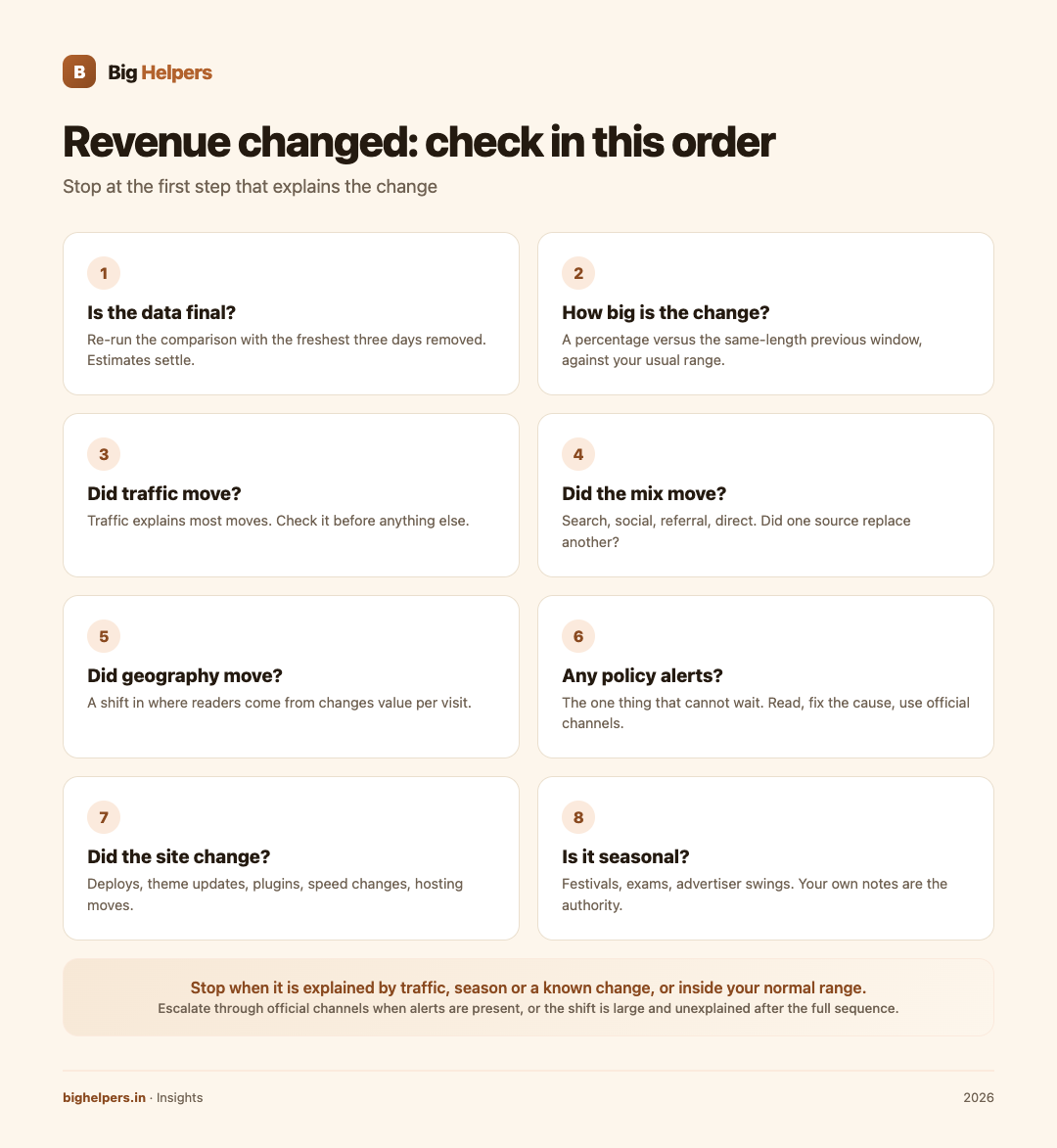
Work one fixed sequence, in order: confirm the data is fresh, size the change against your normal range, check traffic and its mix, check geography, check for policy alerts, list any site changes, and consider seasonality. Stop at the first step that explains the change, write down what you found, and do nothing dramatic for at least a week. Most revenue moves are traffic or season effects, not faults, and no conclusion should be called a cause without evidence from your own reports.

Before you start: two rules
Rule one: measure before you feel. "Revenue is down" is not a fact until you can write "down how much, over what window, compared with what".
Rule two: one hypothesis at a time. The moment you change your ad layout, your theme and your posting schedule in the same panicked afternoon, you destroy your ability to know what happened.
The sequence, in order
| Step | Question | Where to look | Evidence that satisfies | Common mistake |
|---|---|---|---|---|
| 1 | Is the data even final? | Your report's date range, especially the last 1 to 3 days | Recent days excluded or re-checked later | Panicking over provisional figures |
| 2 | How big is the change? | Earnings and Page RPM versus the same-length previous window | A percentage inside or outside your usual range | Comparing unlike windows |
| 3 | Did traffic move? | Visits or page views for both windows | Traffic explains the direction of the move | Ignoring traffic entirely |
| 4 | Did the traffic mix move? | Sources: search, social, referral, direct | A source grew or shrank noticeably | Averaging away the shift |
| 5 | Did geography move? | Top countries or regions for both windows | A shift in where readers come from | Assuming home-market behaviour everywhere |
| 6 | Any policy alerts? | Account notifications and email | Empty inbox, or a read and handled alert | Treating alerts like spam |
| 7 | Did the site change? | Your deployment log, theme updates, plugin or speed changes | A dated change near the shift | Forgetting Friday's deploy |
| 8 | Is it seasonal? | Last year's same weeks, or your notes | A recurring pattern | Rediscovering the same dip each year |
Step 1: freshness first
The last few days in any report are the least trustworthy, and figures are described by Google as estimates that can be revised. Before you investigate anything, re-run the comparison with the freshest three days removed. If the anomaly lives only in those days, wait 48 hours and look again. You will save yourself several false alarms a year with this habit alone.
Steps 2 and 3: size, then traffic
Put a number on the change: "Page RPM is 18 per cent below the previous four-week average". Your normal range is whatever your own logged history says it is; no other publisher's numbers apply.
Then check traffic before anything else, because it is the most common explanation. The three-way read from our companion piece applies: earnings moving with traffic is normal site behaviour; flat traffic with changed earnings points toward click value or ad serving; falling traffic with rising RPM is a mix shift. If discovery is the patient, our guides on local SEO and growing from 10K to 100K users treat it.
Steps 4 and 5: mix and geography
Two sites with identical traffic totals can earn very differently if one is mostly search visits from readers who arrive with intent and the other is mostly passing social traffic. Check whether one source replaced another, then check whether the geography of your readers shifted. Neither is a problem by itself; both are explanations. Note them and stop.
Step 6: policy, always
Policy alerts are the one thing in this sequence that cannot wait. Google's program policies set out what publishers must not do, including encouraging clicks or using layouts that invite accidental clicks, and its invalid traffic guidance prohibits any artificial generation of clicks or impressions. If your anomaly is a sudden spike in clicks you cannot explain, the correct response is to document it, check the official guidance, and use the account's official channels. The incorrect responses include clicking ads to "see if they work", asking anyone to click, and quietly hoping.
Step 7: your own changes
Pull up your own change log: deploys, theme updates, new plugins, removed sections, hosting moves. Anything dated within a few days before the shift is a suspect, and hosting-level changes belong on the same list, which is why we keep notes alongside guides like choosing hosting in India. If a change and the shift line up, you have a hypothesis, not yet a verdict: revert or observe, and give it a full cycle.
Step 8: seasonality, the quiet explainer
Festivals, exam seasons, monsoon disruption of reading habits, fiscal-year advertiser swings: all of these move Indian publishing revenue in patterns that repeat. Your notes from previous months and years are the only authority here. This is the strongest argument for keeping a three-line log with every review.
When to stop and when to escalate
Stop when: the change is explained by traffic, season or a known site change, or when it is inside your normal range. Log it and move on.
Escalate through official channels when: alerts are present, the shift is large and unexplained after the full sequence, or you see click patterns you cannot account for. Use only your advertising account's official support route.
Never: respond to a dip by testing ad behaviour yourself, buy traffic to "fix" a fall, or take a stranger's diagnosis from a screenshot.
FAQs
How long should I wait before calling a change real?
Give any unexplained movement at least seven full days, and prefer fourteen. Short windows amplify noise, and estimated figures settle.
Revenue fell but traffic is flat. Is that bad?
It means value per visit moved, so check clicks and CPC next. It can be advertiser demand or geography, neither of which you control, so verify before acting.
Should I check my dashboard daily during an anomaly?
Check on a fixed cadence, every two or three days, with the same windows. Daily checks during an anomaly invite rushed changes that corrupt the evidence.
What if I find nothing in all eight steps?
Write "unexplained" in your log with the numbers, keep the change list clean, and re-check in a week. Unexplained is an honest result; a manufactured cause is not.
Can a tool check all this for me?
Tools can collect the numbers, but the sequence's judgement, comparing windows and refusing invented causes, is yours. If you run many properties and this sequence repeats weekly, that is the signal to consider purpose-built software rather than more tabs.
Your next step
Give the sequence a home. Create a dated checklist in Taskss, from the Big Helpers apps page, with one task per step and a due date spread across the week, so an anomaly gets investigated once, calmly, and then either closed or escalated. Taskss is free while in beta, available on iOS, with Android in controlled testing.
Sources & references
- Google AdSense Management API v2 metric reference (estimated revenue wording): developers.google.com/adsense/management/reference/rest/v2/Metric (fetched 29 August 2026)
- Google AdSense program policy on encouraging clicks: support.google.com/adsense/answer/48182
- Google AdSense policy on accidental-click layouts: support.google.com/adsense/answer/1346295
- Google AdSense invalid traffic guidance: support.google.com/adsense/answer/16737
- Taskss App Store listing: apps.apple.com/in/app/taskss/id6791248029, and Big Helpers apps page: bighelpers.in/apps/
Pricing in this guide is verified as of the article date. Verify with vendors before committing budget — rates change quarterly.