
The direct answer
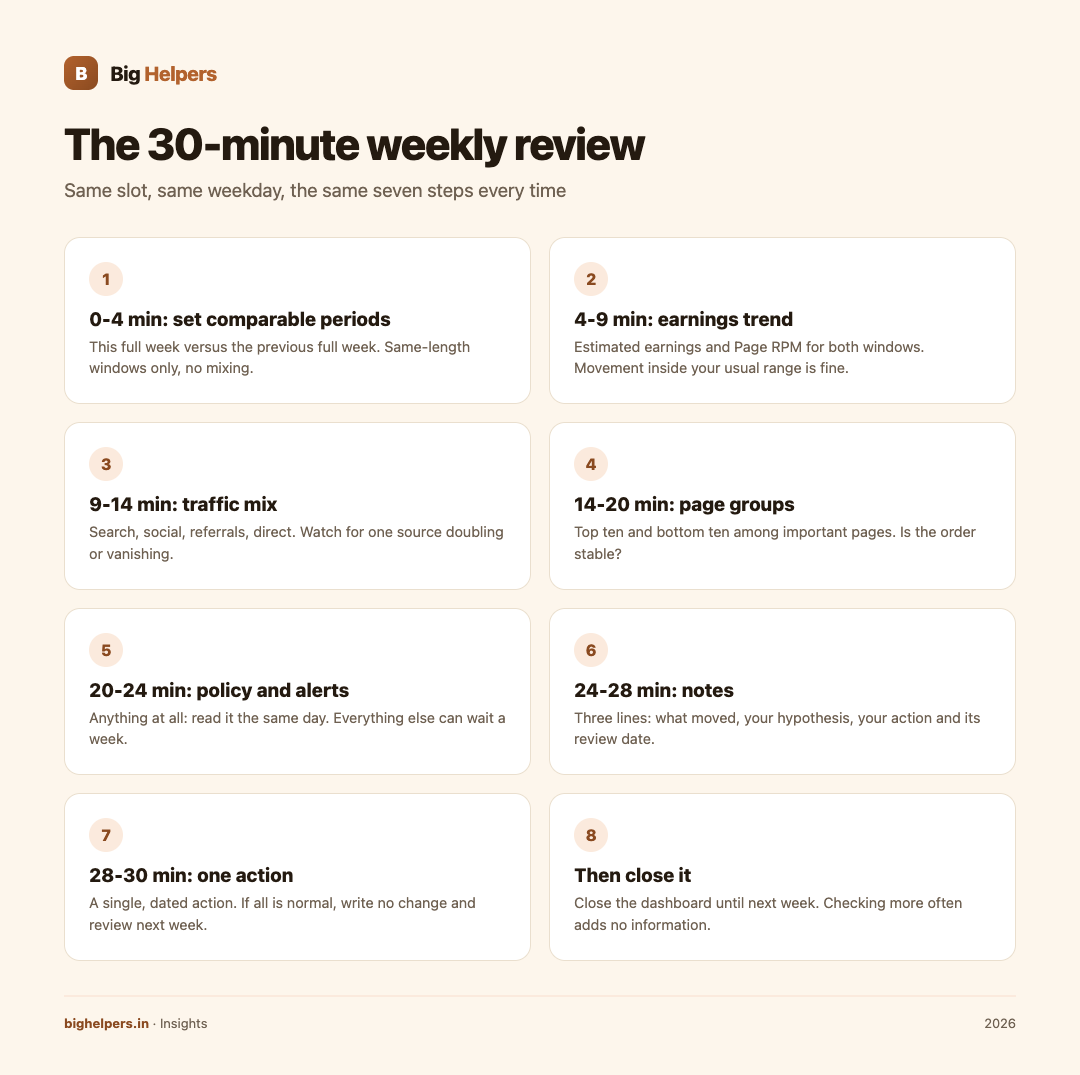
Fix one 30-minute slot each week, on the same weekday, and follow the same seven steps every time: pick comparable periods, check the earnings trend, check the traffic mix, scan your best and worst page groups, look for policy alerts, note anything unusual, and choose exactly one action. Then close the dashboard until next week. A weekly review you actually finish beats daily peeking that only feeds anxiety and adds no information.

Why hourly checking hurts
Ad earnings are noisy. A single high-value click can double a small day's figure, and a slow morning means nothing by evening. When you check hourly, you see random movement and react to it: moving ad blocks, rewriting headlines, panicking over normal dips. None of that improves revenue, and some of it, such as fiddling with ad placements in response to a dip, can create real problems.
Google's program policies prohibit publishers from encouraging clicks or using deceptive implementations, and its invalid traffic guidance makes clear that artificially generated clicks or impressions are prohibited. A calm publisher who reads reports weekly and changes one thing at a time stays far away from all of that.
The 30-minute agenda
| Minutes | Step | What you look at | What "fine" looks like | What deserves a note |
|---|---|---|---|---|
| 0 to 4 | Set comparable periods | This full week versus the previous full week, and this month to date versus last month to date | Same-length windows, no mixing | Any comparison of unequal windows |
| 4 to 9 | Earnings trend | Estimated earnings and Page RPM for both windows | Movement inside your usual range | A swing far outside your normal range |
| 9 to 14 | Traffic mix | Where visits came from: search, social, referrals, direct | No single source exploding or collapsing | One source doubling or vanishing |
| 14 to 20 | Page groups | Best and worst performing sections or pages | Your usual pages leading | A new page spiking, or a reliable one collapsing |
| 20 to 24 | Policy and alerts | Any policy notices or disabled ad units in your account | Empty | Anything at all: read it same day |
| 24 to 28 | Notes | Your review log | Three lines written | Skipped notes |
| 28 to 30 | One action | Your chosen change or non-change | A single, dated action | A list of five changes |
Step 1: comparable periods, always
The most common self-deception in revenue reviews is comparing unlike windows. Sunday against Thursday. A seven-day week against a five-day week. A festival week against a normal week. Before you conclude anything, confirm the two windows are the same length and note any holiday, exam season or event that sat inside one of them. If a window is not comparable, say so in your notes and move on.
Step 2 and 3: earnings only make sense with traffic
Never read earnings alone. Read earnings beside its traffic. Three patterns cover most weeks:
| Pattern | Likely reading | First response |
|---|---|---|
| Earnings and traffic moved together | Normal site behaviour | Note it, no action |
| Traffic flat, earnings down | Value per click or per impression shifted | Check clicks and CPC before touching anything |
| Traffic down, RPM up | Fewer but more valuable visits | Check the traffic mix for a lost source |
When the answer lies in discovery rather than monetisation, the fix is usually content-side. Our pieces on local SEO in India, content marketing for Indian SMEs and scaling from 10K to 100K users cover that work.
Step 4: page groups, not pages
Most reporting tools let you break performance down by page or section. Do not audit every URL weekly. Sort by earnings, look at the top ten and the bottom ten among your important pages, and ask one question: is the order stable? Big reshuffles are your early signal that a topic is rising or a page has broken.
Step 5: policy alerts get same-day attention
Everything else in this routine can wait a week. Policy notices cannot. Google's policy pages describe what publishers must avoid, including encouraging clicks and layouts that invite accidental clicks, and its policy FAQ encourages publishers to watch their accounts for signs of invalid activity. If an alert appears, read it, fix the cause, and follow the account's stated route for review. Never respond to a click dip by testing ads yourself.
Step 6: three lines of notes
Keep a tiny log. Date, one line on what moved, one line on your hypothesis, one line on the action and its review date. Six months of three-line entries will teach you more about your site than any dashboard, because you will start seeing your own seasonality. A simple structure:
| Date | What moved | Hypothesis | Action | Review on |
|---|---|---|---|---|
| (example) Week 34 | Page RPM down, traffic flat | CPC dip, maybe advertiser mix | None, observe | Week 36 |
Step 7: one action, dated
If everything is inside normal range, the correct action is "no change, review next week". Writing that down is not laziness; it is what stops you from inventing work. If something needs a change, make one, date it, and give it at least one full cycle before judging it. Two simultaneous changes mean you will never know which one worked.
Guardrails against obsession
- Check at the scheduled time only. If you feel the urge mid-week, write the question in your notes instead of opening the dashboard.
- Keep the slot to 30 minutes. Use a timer.
- Never make ad decisions from another publisher's screenshots or from numbers in any demo or preview tool.
- Remember figures are estimates and can be revised; nothing is banked until payout.
Big Helpers' own apps list includes AdScore, a revenue dashboard preview that uses clearly labelled demonstration data and does not connect to a live AdSense account. It is a reminder of this section's point: a tool can help you practise the habit of reading metrics, but only your authorised account reports deserve your attention. Its status and link are on the Big Helpers apps page.
FAQs
Why weekly and not daily?
Daily windows are too small to separate signal from noise, and daily checking tempts you into changes you cannot evaluate. Weekly windows, read in comparable pairs, give you enough stability to act sensibly.
What if a genuine emergency appears mid-week?
Policy alerts and site outages are emergencies; revenue dips are not. Handle alerts immediately, and let everything else wait for the slot.
How do I compare weeks when one had a holiday?
Note the holiday in your log and mark the comparison weak. Over months, your notes will show which weeks are structurally different every year.
Should I track page RPM, or is earnings enough?
Track both. Earnings tell you the money; RPM tells you the rate. A week with lower earnings but higher RPM on lower traffic tells a completely different story than lower earnings at the same traffic.
Can I automate this review?
You can automate pulling the numbers, but the judgement steps, traffic mix, page groups and the one-action decision, are yours. Automation that only pushes numbers to your phone usually recreates the obsession problem.
Your next step
Put the review slot in your calendar as a repeating item and keep your log in one place. Taskss, from the Big Helpers apps page, is built for exactly this: tasks with calendar views, plus habits you can set on a weekly cadence. It is free while in beta, available on iOS, with Android in controlled testing. Set the habit today, and let the dashboard rest for the other six days.
Sources & references
- Google AdSense program policy on encouraging clicks: support.google.com/adsense/answer/48182 (verified 29 August 2026)
- Google AdSense policy on layouts that invite accidental clicks: support.google.com/adsense/answer/1346295
- Google AdSense invalid traffic guidance and policy FAQ: support.google.com/adsense/answer/16737, support.google.com/adsense/answer/3394713
- AdScore App Store listing: apps.apple.com/in/app/adscore/id6797173652
- Taskss App Store listing: apps.apple.com/in/app/taskss/id6791248029, and Big Helpers apps page: bighelpers.in/apps/
Pricing in this guide is verified as of the article date. Verify with vendors before committing budget — rates change quarterly.