
The direct answer
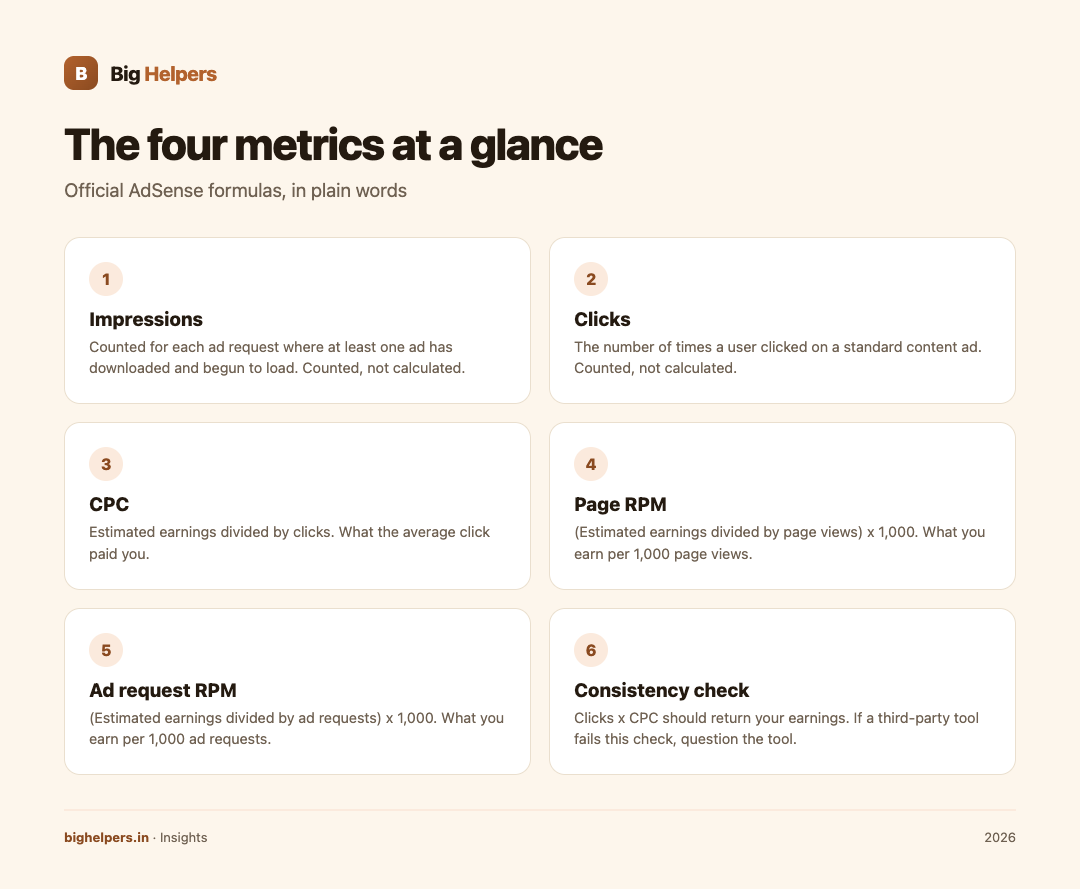
Impressions count how many ads actually began to load, clicks count genuine clicks on those ads, CPC is average earnings per click, and Page RPM restates your estimated earnings per 1,000 page views. Google's own documentation gives the formulas: Page RPM equals estimated earnings divided by page views, multiplied by 1,000, and CPC equals estimated revenue divided by clicks. Each metric answers a different question, so read them together, never alone.

Why four metrics for one earnings number
If AdSense showed only your earnings, you would learn nothing about why the number moved. So the platform reports the same money from four angles:
- Impressions describe supply: how many ads were served to readers.
- Clicks describe response: how many of those ads earned a genuine click.
- CPC describes value: what the average click paid you.
- Page RPM describes the whole picture: earnings normalised per 1,000 page views, so you can compare a quiet week with a busy one.
Google's AdSense Management API documentation defines these plainly. An impression is counted "for each ad request where at least one ad has been downloaded to the user's device and has begun to load". Clicks are the "number of times a user clicked on a standard content ad". CPC is the "amount the publisher earns each time a user clicks on an ad", calculated by dividing estimated revenue by clicks received.
The official formulas in one table
| Metric | Official definition (source: Google) | Formula | Question it answers |
|---|---|---|---|
| Impressions | Counted for each ad request where at least one ad has downloaded and begun to load | Counted, not calculated | How many ads were served? |
| Clicks | Number of times a user clicked a standard content ad | Counted, not calculated | How many ads got a real click? |
| CPC | Amount the publisher earns per click | Estimated earnings ÷ clicks | What did the average click pay? |
| Page RPM | Revenue per thousand page views | (Estimated earnings ÷ page views) × 1,000 | What do I earn per 1,000 page views? |
| Ad request RPM | Revenue per thousand ad requests | (Estimated earnings ÷ ad requests) × 1,000 | What do I earn per 1,000 ad requests? |
Google's own worked examples use the same arithmetic. Its Page RPM help page says that if you earned an estimated 0.15 dollars from 25 page views, your Page RPM is 6 dollars. Its ad request RPM page gives a parallel example: 60 dollars from 15,000 ad requests is an ad request RPM of 4 dollars.
A labelled arithmetic example
Here is an imaginary site for one month. These numbers are invented for practice, not a benchmark of any kind, and your site's values will differ.
| Item | Value |
|---|---|
| Page views | 25,000 |
| Ad requests | 60,000 |
| Impressions | 57,000 |
| Clicks | 500 |
| Estimated earnings | Rs 4,000 |
Now apply the formulas:
- Page RPM = (4,000 ÷ 25,000) × 1,000 = Rs 160
- Ad request RPM = (4,000 ÷ 60,000) × 1,000 = about Rs 66.7
- CPC = 4,000 ÷ 500 = Rs 8
- Page CTR (clicks ÷ page views, as a percentage) = 500 ÷ 25,000 = 2 per cent
Notice a consistency check: clicks × CPC should return your earnings. 500 × 8 = 4,000. If a third-party tool ever shows numbers that fail this check, question the tool.
Also notice why Page RPM and ad request RPM differ. One page view can trigger several ad requests, so dividing by a bigger pool (60,000 requests) gives a smaller per-thousand figure. Neither number is wrong; they normalise over different bases.
What the four metrics cannot tell you
Reading them honestly matters more than memorising formulas.
- No causation. A rising CPC does not tell you why it rose. Advertiser demand, geography, season and topic all move the number together.
- No benchmarks. Comparing your RPM with another publisher's is mostly noise, because topics, countries and ad layouts differ. Google's metrics tell you about your own site over time, nothing else.
- Estimates, not final. Google's API documentation itself calls these "estimated" revenue figures. Treat any single day's figure as provisional.
- No traffic quality verdict. If clicks spike suspiciously, the correct response is to check Google's invalid traffic guidance, never to celebrate or to click anything yourself.
Five common reading mistakes
| Mistake | Why it misleads | Better habit |
|---|---|---|
| Comparing Page RPM across unlike periods | Festival weeks and exam seasons distort short windows | Compare month with month, or week with the same week last cycle |
| Mixing Page RPM with ad request RPM | Different denominators, so they never match | Label every figure with its exact name |
| Treating one big click day as a trend | A single high-value click can double a small day | Judge 7 to 14 day windows |
| Never looking at clicks and CPC separately | Earnings can fall while RPM rises if traffic fell more | Read the quartet together |
| Sharing screenshots of metrics publicly | Fine, but numbers without context invite bad advice | Share the table, all four rows |
A five-minute reading routine
- Open your report for the last full 7 days.
- Read earnings, then Page RPM, then clicks and CPC, in that order.
- Ask one question: which of the four moved most?
- Write one line in your notes naming the mover.
- Close the report. Checking more often adds no information.
If the movement came from search or AI-assistant discovery rather than ads, our guides on LLM optimisation for citations and SEO and LLM optimisation services cover that side of the funnel. For broader money maths, the website ROI calculator is a useful companion.
A transparent note on preview apps
Big Helpers builds AdScore, a free iOS app described on the App Store as an "Ad revenue dashboard preview". Its listing states clearly that this version uses demonstration data, does not connect to a live Google AdSense or Google AdMob account, and that the figures shown are not current account earnings and no financial decisions should be based on the sample values. AdScore is not affiliated with Google.
That disclosure is exactly the right standard: a preview tool may show you how metrics can be laid out, and only your own authorised account data can show you your earnings. See the Big Helpers apps page for its current status: available on iOS, with Android in controlled testing.
FAQs
Which matters more, Page RPM or ad request RPM?
Page RPM is easier to relate to traffic because page views are what you can influence through content. Ad request RPM reflects the ad-serving layer. Track Page RPM for the big picture and ad request RPM when investigating ad layout changes.
Why did my CPC change when I changed nothing?
CPC reflects what advertisers paid in auctions on your pages, which shifts with demand, geography, season and reader intent. Without evidence from your own reports, do not assume a cause.
Are the earnings figures final?
Google's documentation describes these as estimated revenue. Figures can be revised after review, so avoid treating any fresh number as banked.
Where do the official definitions live?
Google's AdSense Help pages for Page RPM and ad request RPM, and the AdSense Management API metric reference, are the primary sources. Both are listed in the sources section of this page.
Can an app read my live AdSense numbers?
Only through Google's official authorisation route for AdSense account data. AdScore does not do this today; it is a demonstration-data preview. Never hand your account password to any tool.
Your next step
If you want to practise reading these four metrics in one focused mobile layout, try AdScore on the App Store. It is free, available on iOS (Android is in controlled testing), and every figure in it is clearly labelled demonstration data: a sandbox for your reading habit, not a window into your account.
Sources & references
- Google AdSense Help, Page RPM: support.google.com/adsense/answer/112030 (fetched 29 August 2026)
- Google AdSense Help, ad request RPM: support.google.com/adsense/answer/1082522
- Google AdSense Management API v2 metric reference: developers.google.com/adsense/management/reference/rest/v2/Metric
- AdScore App Store listing: apps.apple.com/in/app/adscore/id6797173652
- Big Helpers apps page: bighelpers.in/apps/
Pricing in this guide is verified as of the article date. Verify with vendors before committing budget — rates change quarterly.