
The direct answer
A dashboard running on demonstration data can prove exactly one thing: how the interface works. It can show you layout, readability, navigation, privacy modes and speed. It cannot prove that any real account connects, that numbers are accurate, that earnings are real, or that the tool is ready for production decisions. Evaluate in two stages: judge usability on the demo, then demand separate evidence for connection, accuracy and limits before you trust a single figure.

Why demonstration data exists, honestly used
Demo data is not a trick by default. A developer who wants to show a dashboard's design without touching a real advertising account has three options: fake data, your data, or nothing. Fake data, clearly labelled, is the privacy-friendly choice. The honesty test is whether the label stays loud. A dashboard must say, in plain words, that its figures are demonstration data, not your earnings.
The right mental model is a showroom kitchen. You can judge the counter height and the drawer glides, but you cannot conclude anything about how your own food will taste.
The two-stage evaluation
Stage one: what a demo can prove
| Capability | A demo can show this | How to test it |
|---|---|---|
| Information layout | Whether metrics you care about sit on one screen | Find five numbers in under a minute |
| Readability | Label clarity, chart legibility, mobile behaviour | Use it one-handed on a phone |
| Navigation | How many taps between summary and detail | Count taps for three common journeys |
| Privacy mode | Whether values can be hidden on screen | Toggle it in a public place |
| Accessibility | Text sizing, contrast, screen reader behaviour | Try larger text and voice-over |
| Speed and stability | Load times and crashes on your device | Open and close it ten times |
Stage two: what a demo cannot prove
| Claim | What a demo offers | Evidence you must demand instead |
|---|---|---|
| "Connects to your account" | A button, perhaps | An explicit, documented authorisation flow, such as Google's official OAuth route for AdSense data, and the app naming exactly which service it reaches |
| "Accurate numbers" | Plausible-looking figures | Reconciliation: the tool's figures matched against your account's own reports, line by line |
| "Your earnings" | Sample values | Your authorised account data, nothing else |
| "Production ready" | Polished screens | Version history, support route, and a statement of current limitations |
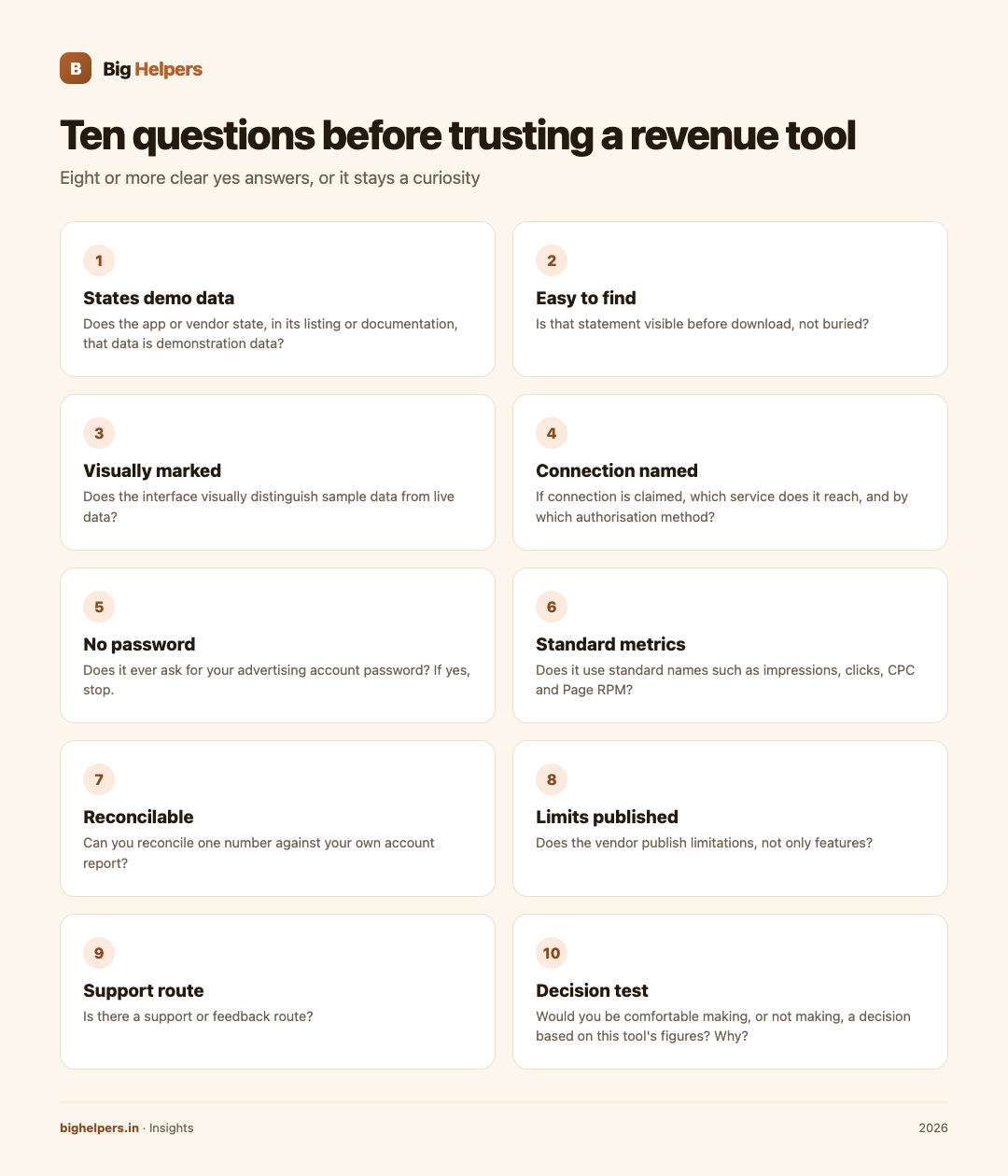
The ten-question checklist
Work through this before trusting any revenue tool, demo or live:
- Does the app or vendor state, in its listing or documentation, that data is demonstration data?
- Is that statement easy to find before download, not buried?
- Does the interface visually distinguish sample data from live data?
- If connection is claimed, which service does it connect to, and by which authorisation method?
- Does it ever ask for your advertising account password? If yes, stop.
- Does the listing name the metrics shown, using standard names such as impressions, clicks, CPC and Page RPM?
- Can you reconcile one number against your own account report?
- Does the vendor publish limitations, not only features?
- Is there a support or feedback route?
- Would you be comfortable making, or not making, a decision based on this tool's figures? Why?
Score under eight clear "yes" answers and the tool is a curiosity, not a decision input.
A transparent example: AdScore
Big Helpers builds AdScore, and it is a useful example because its disclosure is unusually explicit. The App Store listing describes it as an "Ad revenue dashboard preview" and states that this version uses demonstration data, does not connect to a live Google AdSense or Google AdMob account, that the figures shown are not current account earnings, and that no financial decisions should be based on the sample values. It also states the app is not affiliated with, endorsed by or sponsored by Google, and that the developer does not collect data from the app.
Run AdScore through the checklist above and you get: yes, the demo status is stated; no, it does not claim connection; yes, it shows standard metrics in a preview form; no, you cannot reconcile it against your account, and it does not pretend otherwise. That is what honest preview positioning looks like. It is free on iOS, Android is in controlled testing, and its current status is listed on the Big Helpers apps page.
The reverse pattern is the red flag. If a tool shows "your" revenue without any authorisation step, or its screenshots carry numbers with no source, it is either guessing or inventing.
What legitimate connection looks like
When a tool genuinely reads your AdSense data, you should see a standard authorisation screen from Google itself, asking you to approve access to a named service, and the vendor's documentation should say which official API it uses. Google publishes a Management API for exactly this purpose, described in its own documentation as a way to get reports on AdSense earnings. Authorisation happens through Google's consent flow, and credentials stay with you. Any tool that shortcuts this, by taking your password or by showing numbers it cannot explain, has failed stage two before it began.
If you reach the point where you want a dashboard that legitimately joins several data sources, that is a build decision, not a download. Our comparisons of custom software versus SaaS and our custom software development service cover that path, and how we work explains the process.
FAQs
Is it bad if an app only has demo data?
No. It is bad if the demo status is hidden or if the tool implies the numbers are yours. A clearly labelled preview is an honest early-stage product.
Can demo data tell me anything about my revenue?
No. It can tell you how metrics are displayed. Your revenue exists only in your authorised account reports.
How do I verify a tool's numbers once connected?
Pick one period, export the same report from your advertising account, and compare every figure. Any mismatch the vendor cannot explain ends the evaluation.
Why would I even install a demo dashboard?
To learn what you want before you pay or connect anything. Deciding layout preferences on a demo costs you nothing and leaks no account data.
What if a vendor says "connection coming soon"?
Fine. Treat the tool as a preview today and re-run stage two when the feature ships. Never let a roadmap slide substitute for today's limitations.
Your next step
If you want to see what a clearly labelled preview dashboard looks like before evaluating anything fancier, install AdScore on the App Store. It is free, available on iOS with Android in controlled testing, and every figure in it is demonstration data: study the layout, then check your real numbers only in your own authorised AdSense reports.
Sources & references
- AdScore App Store listing: apps.apple.com/in/app/adscore/id6797173652 (fetched 29 August 2026)
- Big Helpers apps page: bighelpers.in/apps/
- Google AdSense Management API documentation: developers.google.com/adsense/management
- Google AdSense Management API v2 metric reference: developers.google.com/adsense/management/reference/rest/v2/Metric
Pricing in this guide is verified as of the article date. Verify with vendors before committing budget — rates change quarterly.