
Short answer
Stop reading email in the order it arrives. Judge every message on four signals: who sent it, whether it carries a deadline, what action it needs, and whether it touches money or a promise. Check mail in two or three fixed windows a day, triage each message in 30 seconds, and unsubscribe from everything you never act on. Harkara, from Big Helpers, is in early access and is being built for focused email reading that surfaces important messages and actions.

The inbox is a queue designed by strangers
An inbox shows you whatever other people sent, newest first. That order has nothing to do with your day. A supplier's price revision, a festival sale offer and a school notice about Friday's dress code all look equally urgent in a list.
Divya runs a boutique in Jaipur. On a normal day about 60 messages arrive. Six matter: two supplier confirmations, one bank statement, one customer query, one tailor delay, one GST notice. Reading all day does not find those six faster. It just spreads them across ten hours of interruption, and every interruption costs her a stitch of attention on the work that actually earns.
Important email is found by filtering on signals, not by reading more.
The four signals
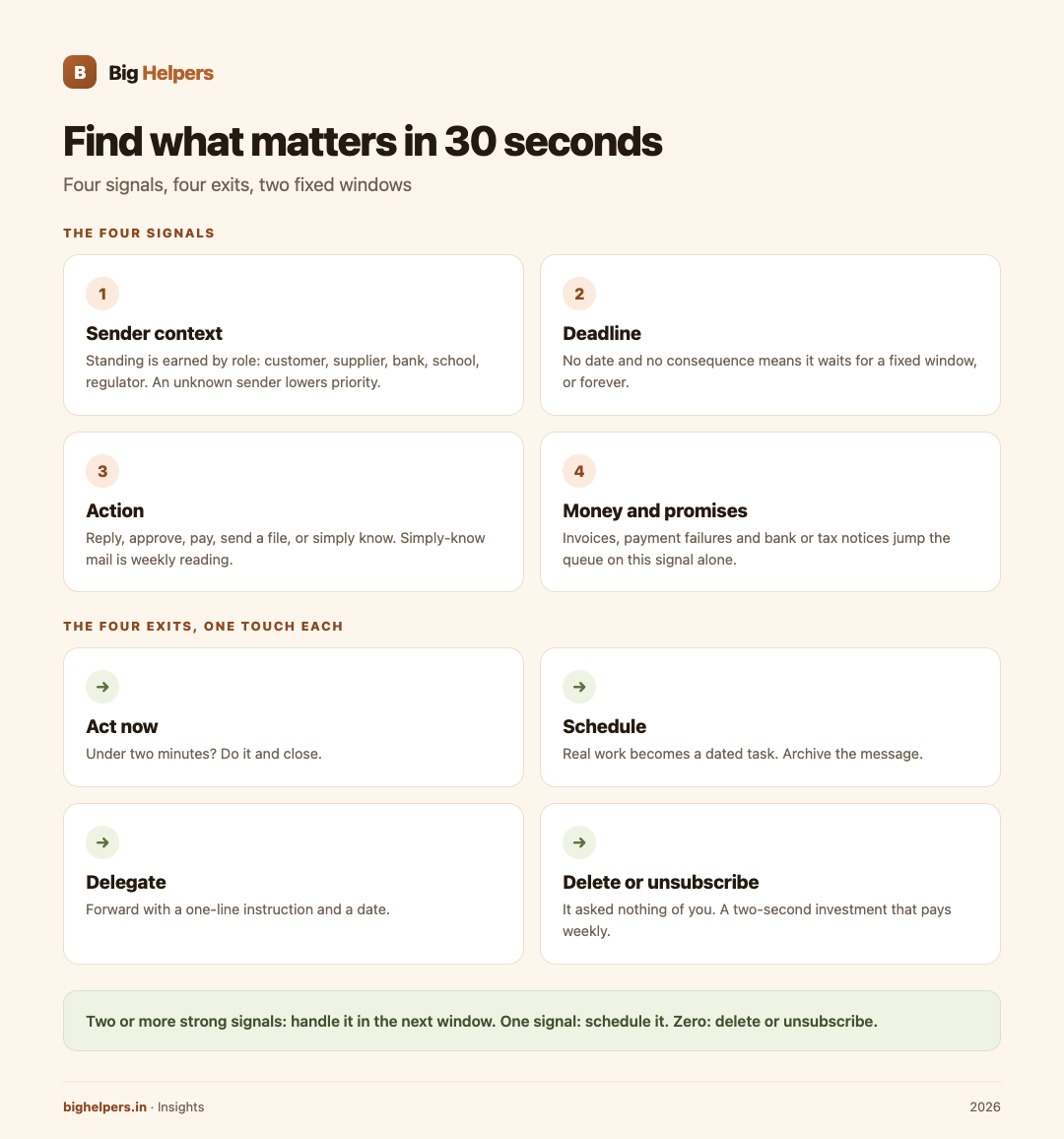
Give every new message four quick questions. The answers, not the sender's enthusiasm, decide its place in your day.
1. Sender context. Is this from a person or system with standing in your work: a paying customer, a supplier, your bank, your child's school, a regulator? Standing is earned by role, not by capital letters. Unknown sender lowers the priority; it does not raise it.
2. Deadline. Does the message name a date or an implicit one, such as "before dispatch on Thursday" or "within 15 days"? No date and no consequence means it can wait for a fixed window, or forever.
3. Action. What does it ask of you: reply, approve, pay, send a file, or simply know? "Simply know" messages are reading, not work, and belong in one weekly batch.
4. Money and promises. Does it affect cash coming in or going out, or a commitment you made? Invoices, payment failures, order changes and notices from banks or tax portals jump the queue on this signal alone.
Two or more strong signals means handle it in the next window. One signal means schedule it. Zero means it is a candidate for deletion or unsubscribe.
The two-window day
Pick two fixed slots, for example 10 am and 4:30 pm, and let email exist only inside them. Three windows are fine during festival season or audit month. Announce the rhythm once, in your signature or auto-reply: "I check email at 10 and 4:30; for anything urgent, call or WhatsApp."
That last sentence is the honest trade. You are not becoming slow to reach; you are choosing the channel. Most Indian small businesses already live on WhatsApp for urgent things, which makes the two-window email day easier here than anywhere. The WhatsApp Business API setup guide for Indian SMEs covers moving routine customer conversations there properly, with templates and opt-in rules, so email can shrink to what email is good at.
The 30-second triage
Inside a window, touch each message once, for at most 30 seconds, and give it one of four exits:
- Act now, if it takes under two minutes: a yes, a file attach, a payment release. Do it and close.
- Schedule, if it needs real work: convert it to a dated task in your task list, then archive the message. If this conversion step interests you, a separate workflow for it is worth reading.
- Delegate, if it is someone else's job: forward with a one-line instruction and a date, and note the follow-up.
- Delete or unsubscribe, if it asked nothing of you. Newsletters you never open, promotions, cold pitches. Unsubscribe is a two-second investment that pays weekly.
One touch, one exit. Reopening the same message five times a day is how an inbox becomes a second job.
Kill the noise at the source
Triage gets faster when less arrives.
- Unsubscribe immediately from anything you have not opened in a month.
- Let shopping receipts, invoices and statements skip the inbox with filters or labels, and review them weekly in one batch.
- Keep ordering, banking and personal mail on separate addresses where possible, so promotions never mix with commitments.
- Never enter your main address in contest forms and exhibition QR codes; use a secondary one.
Where Harkara fits
Harkara is a Big Helpers app in early development for exactly this problem. The Big Helpers apps page describes it as "Focused email reading that helps surface important messages and actions", with the status "Early access. Public store release is not yet available" and the platform label "Waitlist first."
That description is the full extent of what is published. There is no store listing today, so this article claims nothing about how Harkara works: no automation, no summarising, no sending, no account connection details, no device list, no pricing. What is verified is the intent of the product and the waitlist that carries it. The apps page states the interest form collects only an optional name, your email and your platform choice, and that "No app-health, clipboard, email, route, household or vault content is collected." The page also says the list is not a store download, tester approval or a release-date promise.
The method above needs no new app. Two windows, four signals and four exits work with any inbox you already have, including the one on a shop counter phone.
For readers whose overload is bigger than one inbox, the business process automation page and the local business guide cover the wider cleanup of repetitive office work.
Frequently asked questions
How many check windows are right?
Two is the default. Three during busy seasons. One window a day works for role-based addresses that only receive notices and statements. Zero windows is a holiday, not a system.
What if someone marks their mail urgent?
Urgency is decided by the four signals, not by the subject line's punctuation. If a sender is genuinely time-critical, agree a call-or-WhatsApp convention with them once.
Does Harkara read my email?
Nothing published says how Harkara will work technically. It is early access with no store release. The only verified privacy statement is about the interest form, which collects no email content. Wait for Big Helpers' own documentation at launch before connecting anything.
Will filters delete something important?
Use labels and skipping the inbox, not deletion, for anything automated. Review the labelled pile weekly for a month before trusting it fully.
How do I handle mail on a shared shop device?
Use the same two-window rhythm and sign out after each window. Do not keep the inbox open on a counter screen; customers see it too.
What about the messages I keep for reference?
They are not mail anymore; they are records. Move them to a notes or storage system in one weekly batch and archive them out of the inbox.
What to do next
Harkara is in early access. Public store release is not yet available. If focused email reading sounds like the tool you are waiting for, join the Big Helpers interest list at bighelpers.in/apps and select Harkara with your platform choice. You will get release notices for Harkara only. Joining is not a download and not a release-date promise; it simply means Big Helpers will tell you when there is something real to try.
Sources & references
- Big Helpers apps page - app descriptions, availability status and waitlist details, checked 29 August 2026.
- App waitlist privacy notice - what the interest form collects, checked 29 August 2026.
Pricing in this guide is verified as of the article date. Verify with vendors before committing budget — rates change quarterly.