
Short answer
Convert every important email into one task written as a verb, with a date and a clear finished state. Send the quote, call the caterer by Thursday, upload the album selection. Put the task where your tasks live, not in the inbox, note which email it came from, then archive the message. This five-step loop works with any tool. Harkara, from Big Helpers, is in early access and is being built to help surface important messages and actions.

An inbox is a terrible to-do list
Nikhil is a wedding photographer in Nashik. After a November weekend, 40 messages wait: 11 need real work, such as confirming a venue visit, chasing an album approval and sending a revised quote. The rest are replies, receipts and promotions.
Leaving those 11 inside the inbox feels like remembering them. It is not. The inbox counts messages, not promises. There is no date on "the Meera wedding thread", no finished state, and every new message buries the old ones further down. A week later, the album approval is still "somewhere in there", and Meera is calling.
The fix is not a bigger inbox. It is a small, boring conversion habit: every important email becomes one clear task somewhere else.
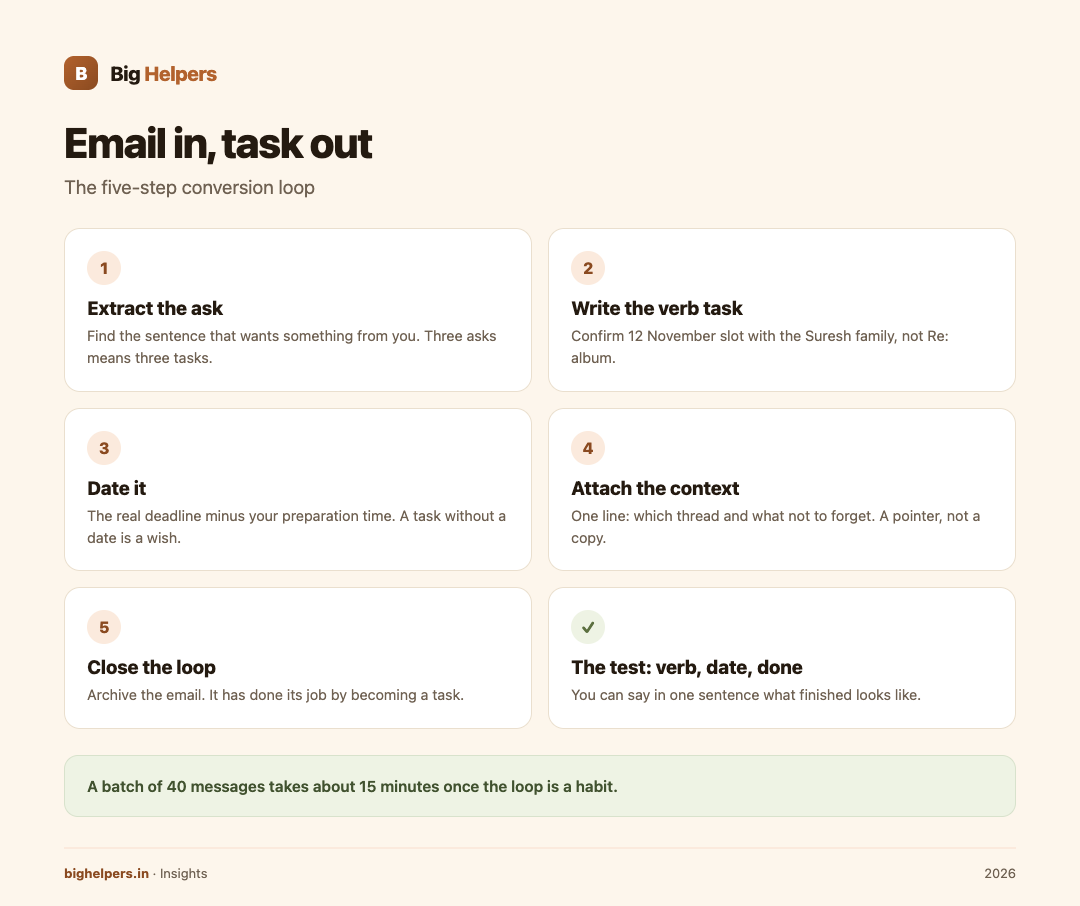
The five-step loop
Step 1: Extract the ask. Find the sentence that wants something from you. If the message has three asks, that is three tasks, not one. If it has no ask, it is reading, and it leaves the inbox in the weekly batch.
Step 2: Write the verb task. Start with a concrete verb, add the object. "About the mehendi date" becomes "Confirm 12 November slot with the Suresh family". "Re: album" becomes "Send album shortlist of 30 photos". If the verb is "think about" or "look into", the task is not written yet; find the physical first action.
Step 3: Date it. A task without a date is a wish. Use the real deadline, minus your preparation time. If the venue needs confirmation by Friday and your partner must check the calendar first, the task is dated Wednesday, not Friday.
Step 4: Attach the context. One line in the task: which email or thread it came from, and anything you must not forget, such as "they want the evening slot only". The context is a pointer, not a copy. You do not need to forward the whole thread into your task list to remember a promise.
Step 5: Close the loop. Archive the email. It has done its job by becoming a task. If the task is done, reply from the task, not from a rummage through the archive. The inbox empties not because you are fast, but because every keeper moved out.
The test: verb, date, done
A well-written task passes a three-part test:
- Verb. It starts with an action you can physically do today: call, send, confirm, print, pay.
- Date. It says when, and the date is yours, set before the deadline bites.
- Done. You can say in one sentence what "finished" looks like: "Meera has confirmed the 12 November slot in writing."
Run the test on these before-and-after examples:
- "Client follow-up" fails all three. "Call Divya by Tuesday 5 pm about the blouse order" passes.
- "GST thing" fails. "Upload October GSTR-3B before 20 November" passes.
- "Album" fails. "Send 30-photo shortlist to the Suresh family by Sunday" passes.
Batch it, do not drip it
Run the loop twice a day on new mail, and once deeply on a fixed weekly slot. Inside a batch:
- Process in order of the four priority signals: sender standing, deadline, action, money and promises.
- Two-minute replies happen inside the batch. Real work becomes dated tasks.
- End every batch with an empty or near-empty inbox, not a "read" inbox. Read is not a status; it is an excuse.
A batch of 40 messages takes about 15 minutes once the loop is a habit. The same 40, dripped across a day, costs three hours of switching.
Keep the conversion privacy-conscious
Moving email into task lists spreads its contents further than most people intend. Three habits keep it tidy:
- Copy the pointer, not the payload. A task that says "reply to Suresh thread, evening slot only" carries what you need. Pasting entire client emails into shared boards, family groups or chat apps is how private details travel.
- Watch the titles. Task titles get seen: on lock screens, in shared lists, over shoulders. Client names plus a neutral verb are usually fine; financial figures, medical or legal details are not.
- Keep other people's data out of your system. A guest list, a bank statement, a scanned ID attached by a client belongs in your storage with a lock, referenced by a task, not rewritten into a notes app that syncs everywhere.
Where Harkara fits
The loop above is manual by design, and it works today in any tool. Harkara is a Big Helpers app that is being built nearby in this space. The apps page describes it as "Focused email reading that helps surface important messages and actions", with status "Early access. Public store release is not yet available" and platform label "Waitlist first."
That is everything published. There is no store listing yet, so this article makes no claim that Harkara performs any part of this workflow automatically: no extraction, no task creation, no sending, no summarising, no account behaviour, no pricing. If and when it releases, verify its actual capabilities from Big Helpers' own notes before changing your loop.
The verified part is the waitlist. The apps page form takes an optional name, your email and your platform choice, states "No app-health, clipboard, email, route, household or vault content is collected", and notes that the interest list is not a store download, tester approval or a release-date promise.
Readers whose next actions mostly belong to customer records rather than personal lists may prefer a proper home for them; the custom CRM page covers that, and the business process automation page covers removing the repetitive loops entirely. Small businesses standardising their customer channels can also read the local business guide.
Frequently asked questions
Do I need a task app for this, or will the email client's flag do?
A flag marks a message; it does not hold a verb, a date or a finished state. If you use flags, write the verb task in the flagged message's note field. Most people are better served by a real task list.
What if the ask is "reply when free"?
That is a real ask with a soft date. Convert it with your own date: "Reply to Rohan's collaboration note by Friday". Free never arrives; Friday does.
How do I handle email tasks that need waiting on others?
Split into two tasks: what you do now ("send draft contract to venue") and what you chase later ("check venue confirmation if no reply by Thursday"). The second one is a dated follow-up, not a hope.
Should I forward emails into my task tool?
Prefer a pointer over a forward. If you must forward, forward to yourself only, into a private capture address, and keep client details out of the subject line.
Can Harkara do this conversion for me?
Nothing published says so. Harkara is early access with no store release; its public description is about focused reading that surfaces important messages and actions. Treat the loop as manual until Big Helpers publishes real capability notes.
How do I stop the archive feeling like losing things?
Search is the archive's job, and it works when you attach context pointers in tasks. You are not deleting; you are filing with a thread back.
What to do next
Harkara is in early access. Public store release is not yet available. If an app focused on surfacing important messages and actions is what your inbox needs, join the Big Helpers interest list at bighelpers.in/apps and select Harkara with your platform choice. Joining is not a download and not a release-date promise; it means you hear from Big Helpers when there is something real to install.
Sources & references
- Big Helpers apps page - app descriptions, availability status and waitlist details, checked 29 August 2026.
- App waitlist privacy notice - what the interest form collects, checked 29 August 2026.
Pricing in this guide is verified as of the article date. Verify with vendors before committing budget — rates change quarterly.