
TL;DR: seven steps to a card
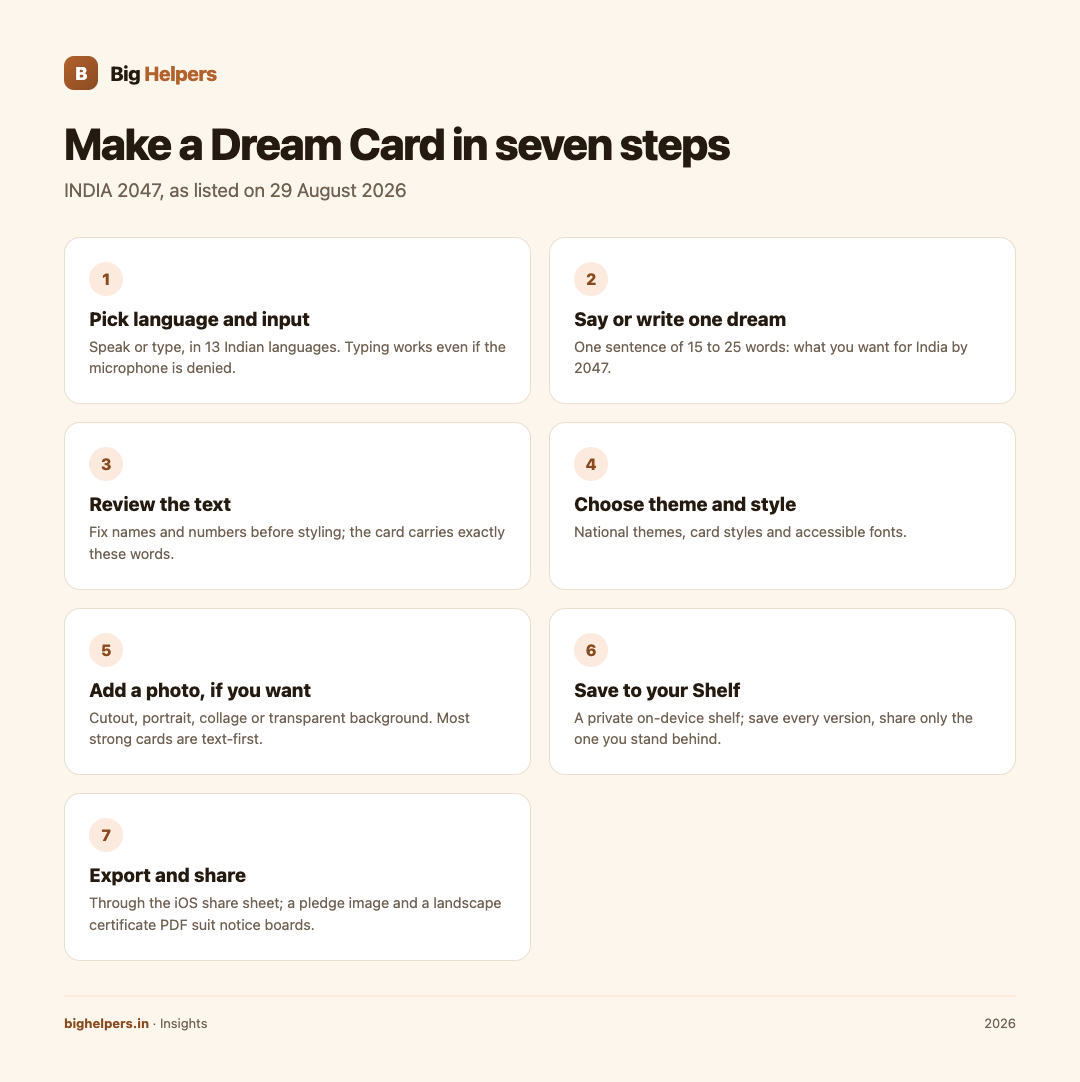
You can make an INDIA 2047 Dream Card by speaking or typing your dream in any of the 13 Indian languages the app supports, choosing a theme and card style, optionally adding a photo, and saving the card to a private on-device shelf before sharing it through the standard share sheet.
The app is free on iOS, needs no phone number, email or login for the essentials, and keeps your cards on your device. Here is the full walkthrough.
What the app is, in plain words
INDIA 2047 appears on our apps page with the description "A multilingual Dream Card maker for sharing a personal vision for India" and the status line "Available on iOS. Android is in controlled testing." The store listing describes it as "an independent civic-participation project" that is "not affiliated with the Government of India". It is a personal expression tool: your words go in, a shareable card comes out, and the listing states that your cards, your name and an optional state or city remain on your device, with precise location never requested.
The seven-step walkthrough
Step 1: Pick your language and input mode
The listing says you can "speak or type" your dream "in one of 13 Indian languages". Speak if it is easier; the listing also confirms you can "continue by typing if microphone access is denied", so nothing blocks you if you decline the microphone. The exact list of the 13 languages is shown inside the app; the public listing names the count, not the individual names, so check the picker in the app for your language before planning a session around it.
Step 2: Say or write one clear dream
One card carries one thought. A workable length is a single sentence of 15 to 25 words: what you want for India by 2047. Short lines also render better on a card than paragraphs. If you have several dreams, the app is built for that too; make several cards.
Step 3: Review the text before styling
Read back what was captured, especially after voice input in a language you speak quickly. Fix names and numbers. The card will carry exactly these words, so this is the moment to remove anything you would not say aloud in a mixed gathering.
Step 4: Choose a theme and style
The listing offers "national themes, card styles and accessible fonts". Theme sets the mood; card style sets the layout; the accessible fonts exist so more people can read your card comfortably. If you plan to print or project the card, pick the higher-contrast style and a larger font.
Step 5: Add a photo, if you want
Your own photos can be added "as a cutout, portrait, collage or transparent background" per the listing. A portrait personalises the card; a cutout of something you photographed, say a tree you planted, tells the story without your face. Photos are optional; most strong cards are text-first.
Step 6: Save to your Shelf
The listing describes a "private on-device Shelf" where you can "save multiple dreams and multiple themes". Treat the shelf as your draft drawer: save every version, then share only the one you would stand behind. The listing adds that saved dreams can be explored "through maps and visual summaries", which is a way to revisit what you have written over time.
Step 7: Export and share
Create the share-ready card and send it "through the iOS share sheet", as the listing states. The app can also make "a branded pledge image and a landscape certificate PDF", which suits notice boards, classrooms and community walls where a landscape sheet prints cleanly. Share what you choose; nothing forces a public post.
The privacy model, as stated
The listing makes three specific promises worth repeating exactly: "Your Dream Cards, name and optional state or city remain on your device", "Precise location is never requested", and the app "does not require your phone number, email address or login". The store privacy label states that the developer does not collect any data from this app. That label is Apple's classification of the developer's declaration, so read it as the developer's stated practice rather than an audit. If data handling matters to you on a family device, our own website privacy page shows how we state such practices for Big Helpers surfaces.
A realistic first session
A first session might run: choose Hindi, speak two sentences about clean rivers, trim to one sentence, pick the water theme, skip the photo, save to the shelf, then export the certificate PDF for a community notice board. Total time: under ten minutes, no account created. For a group version of the same activity, see our companion guide for schools and community groups.
FAQ
Which languages does INDIA 2047 support?
The listing confirms 13 Indian languages for speaking or typing. The individual names are shown in the app's language picker; check there for your language before a group session.
Do I need to create an account?
No. The listing states the essentials work without a phone number, email address or login.
Can I make more than one Dream Card?
Yes. The listing describes saving multiple dreams and themes in the private on-device shelf.
Can I use it on Android?
Not as a public release. The apps page lists Android as "in controlled testing" as of 29 August 2026.
Is this a government campaign?
No. The listing describes it as an independent civic-participation project with no Government of India affiliation.
Will my cards be uploaded somewhere?
The listing says cards, your name and optional state or city remain on your device, and the privacy label states no data collection. Sharing is by your action through the share sheet.
Your next step
Open the app tonight, pick your language, and record one sentence you would be glad to read in 2047. Save it to the shelf before you polish it; you can always restyle it tomorrow. The apps page carries the current platform status, and common questions about Big Helpers apps are answered on the FAQ page.
Disclaimer
This article describes a personal-expression app and is not political campaign material. Features and availability are as listed on 29 August 2026 and may change; the apps page carries current status. Privacy statements summarised here are the developer's declarations on the public listing, not an independent audit.